

Shopify has emerged as one of the most popular e-commerce platforms for online stores worldwide. This comprehensive platform enables businesses to establish an online presence in a matter of minutes.
This article examines and evaluates critical aspects of the Shopify user experience via the Shopify flow. In the following sections, I will explore essential elements to offer an insightful evaluation of this e-commerce leader’s platform.

“What Is Shopify” Flow: Evaluating Onboarding on Shopify
One of the first interaction points for new users on Shopify is onboarding, which sets the tone for their overall Shopify experience. Onboarding on Shopify is relatively streamlined and user-friendly, providing a well-structured path to initiate their e-commerce journey.
Upon landing on the homepage, I was greeted with multiple calls-to-action (CTAs) inviting me to begin a free trial. These alleviate any potential hesitation affiliated with upfront payments or vague signup procedures. These also clarify that a paid subscription will be required in the future and establish trust and transparency from the get-go.
When onboarding, Shopify poses several optional questions aimed at tailoring the experience to individual users’ needs. These ensure you can make informed decisions and feel supported throughout your onboarding journey. Furthermore, the option to skip these questions allows users who wish to explore the platform without personalization to do so.
Shortly after being presented with the main dashboard, I was also shown the option to choose a plan on Shopify. The banner highlighting this CTA is relatively minimized compared to other elements on the screen. This enables users to select a preferred plan at their own pace without interrupting their exploration of the rest of the site.
Shopify offers a variety of plans, from basic to advanced and from monthly to three-year terms. These provide users with ample opportunities for savings and to consider what subset of features may best suit their unique needs. Even with the amount of information provided, Shopify manages to organize and highlight key features of each plan effectively.
Shopify Flow Examples: Setting Up Shop
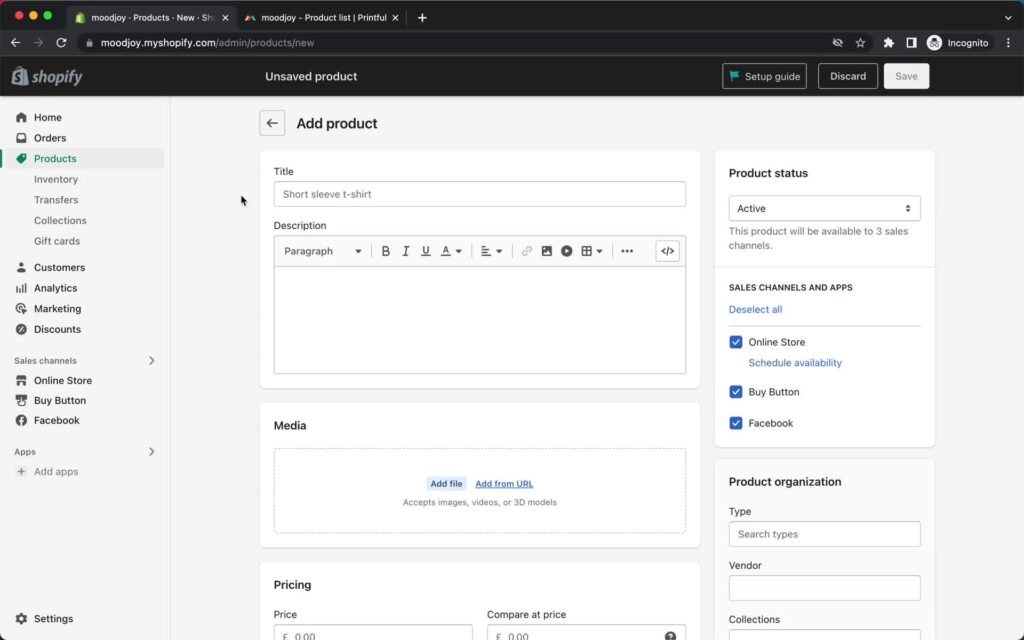
Shopify’s onboarding continues with presenting a setup guide to users upon entering their store. This Shopify flow outlines each step necessary to start a store, from supplier connections to customization and payment setup.
When adding a product, I noticed Shopify presents a simple interface where you can input product information and pricing details. Shopify also offers personalized recommendations for dropshipping apps to help users find products to sell.
As you progress through the setup guide, you can customize your store and add a custom domain. Choosing a theme is similar to that of other website builders, such as when creating a website on Squarespace.
Shopify’s custom store editor offers an experience similar to creating a website on Wix or other popular platforms. This illustrates Shopify’s dedication to providing an intuitive user experience through familiar design patterns.
Shopify allows you to enhance your store’s appearance further with custom CSS. However, this feature remains accessible primarily to more experienced users actively seeking it. By maintaining a simple interface, Shopify reduces user errors, introducing more complex customizations only as users become more familiar with the platform.
Enabling major payment methods is seamless when setting up Shopify Payments. Although, in the past, I have found payment setups can be anxiety-inducing, Shopify’s clean interface ensures a relatively straightforward experience.
Perhaps it was intentionally designed this way, but I found it confusing that the setup guide seemed optional. Shopify could better communicate that completing the setup guide is encouraged but not required.
Automating Workflows Using Shopify Flow Triggers
After setting up a shop, I could begin creating complex workflows with Shopify marketing campaigns. I was met with various predefined choices with descriptions, including options for creating custom email and third-party automations.
Shopify arranges each custom workflow screen with the flow on the left and Shopify Flow triggers, conditions, and actions on the right. Users can define the start of a flow with a trigger. In my experience, the platform effectively balances the information hierarchy between triggers and their descriptions.
After setting a trigger, you can add conditions or actions. Even with only Shopify’s default options, this interface can get complicated with multiple nested menu items. Integrating other apps and APIs can make it even more complex but enables even deeper personalization and customization.
The condition selection process also includes a search function. However, the nesting of many results within others may require navigating multiple menus to locate the desired condition.
You can also add variables within actions, allowing the creation of intricate custom interactions through these automated workflows. You can also create Shopify Flow templates with custom triggers and actions. Overall, I was happy to see that Shopify distills complex processes into a valuable tool for users dedicated to mastering its features.
To learn more, I visited Shopify’s Help Center, which provides a variety of topics and resources for mastering the platform. One particularly helpful resource was a guide on “what is Shopify Flow” that further explores the details of setting up and managing automated workflows.
Analyzing Customer Relationship Management on Shopify
Although primarily considered an e-commerce company, customer relationship management (CRM) on Shopify is an important aspect of the platform’s design. I was pleased to see that Shopify provides a variety of tools to help businesses effectively manage customer relationships.
On the Shopify Customer page, you can conveniently sort and select customers to edit in bulk. Additionally, you can create and assign tags, modify email marketing settings, and customize customer information displays.
I could also apply filters or create templates to create customer segments that group customers with similar characteristics. Each option provided me with a slightly different user experience:
Recognizing the complexity of creating customer segments, Shopify offers an AI-enabled commerce assistant that translates plain language descriptions into working segment filters.
Plain language displayed in filter selection can help users select from various filters more easily. Retaining this language after filter selection might be advisable since some users might find it harder to review the more technical syntax.
Shopify also provides customizable templates with nested menus and accompanying icons, following a similar design to those found elsewhere on the site. These templates can serve as a less intimidating entry point for users new to customer segmentation.
Managing Individual Customers
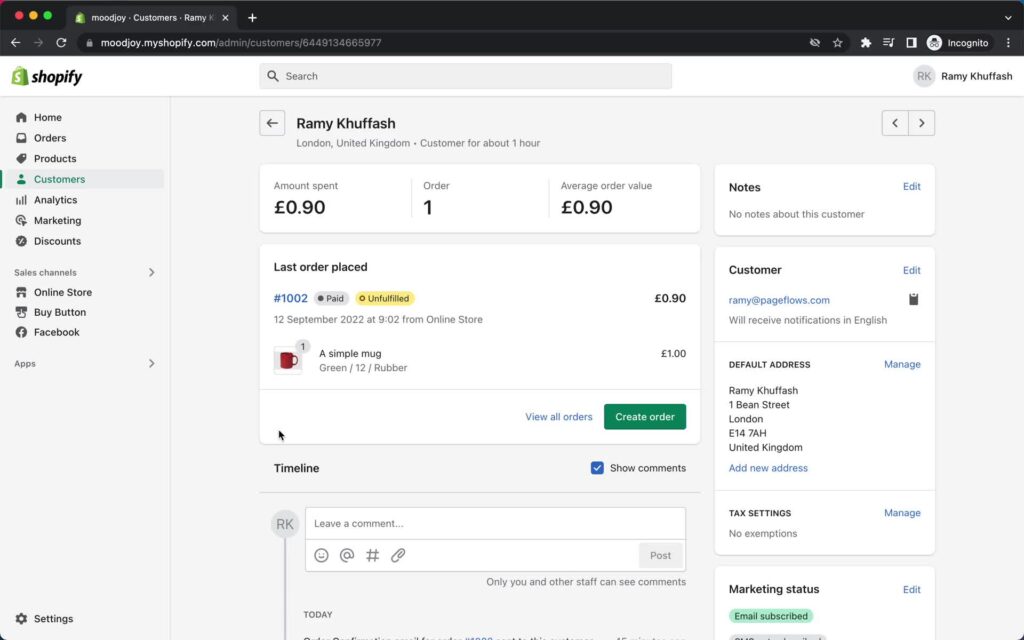
You can also view individual customer profiles from the CRM overview. From here, I could view high-level metrics such as total spending, order history, and average order value.
You can also create orders on behalf of your customers. Shopify offers multiple options for handling customer orders, including prompting for credit card entry, marking as paid, and sending invoices. This flexibility empowers businesses to tailor the shopping experience to individual customer needs.
Lastly, store owners can manage customer details such as contact information, addresses, tax settings, and marketing status. Additional customizable options include tags, custom data, market preferences, and notes. Overall, in my experience, Shopify effectively balances store owners’ and customers’ needs on these pages.
Shopify Flow Templates: Get Inspiration From Page Flows
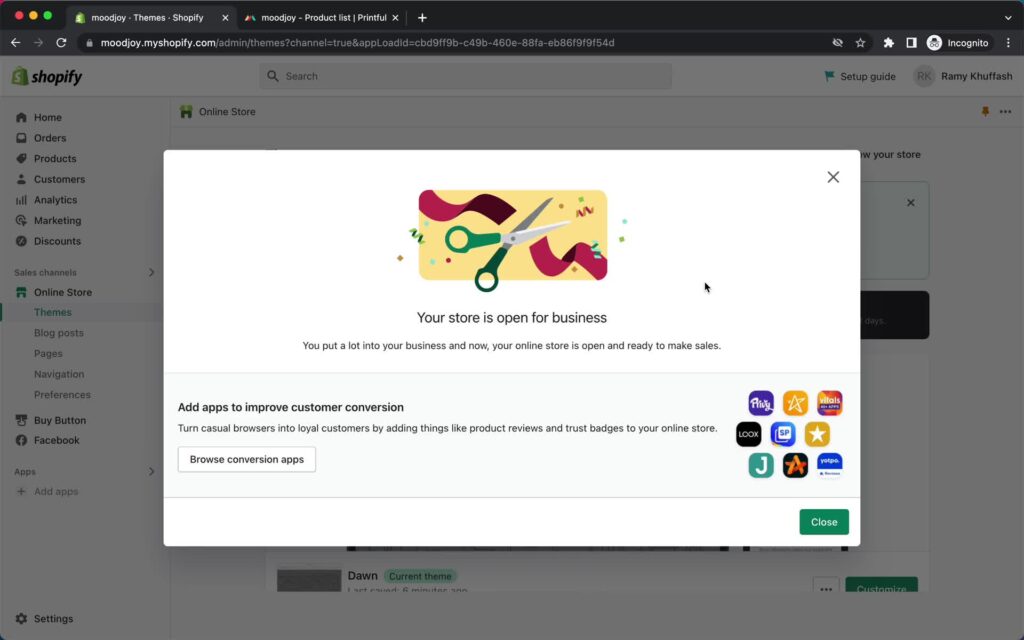
Learning from successful products can be invaluable when seeking design inspiration. Page Flows offers a rich library of unique Shopify user flows, including screenshots and recordings covering various aspects of the Shopify flow.
Stay informed on the latest design trends with our ever-growing collection of user flow recordings, Shopify flow examples, and more. Start exploring Page Flows today and take your design skills to the next level!