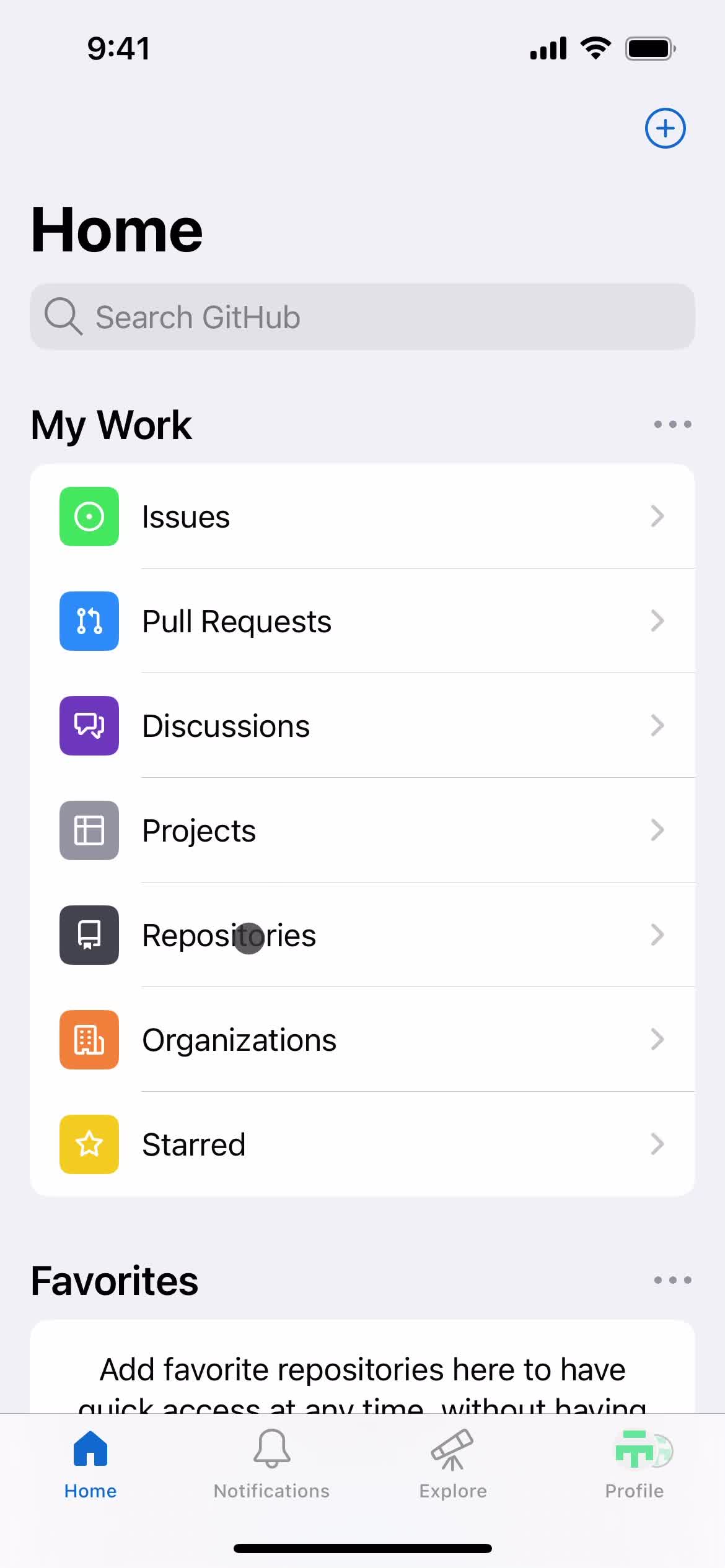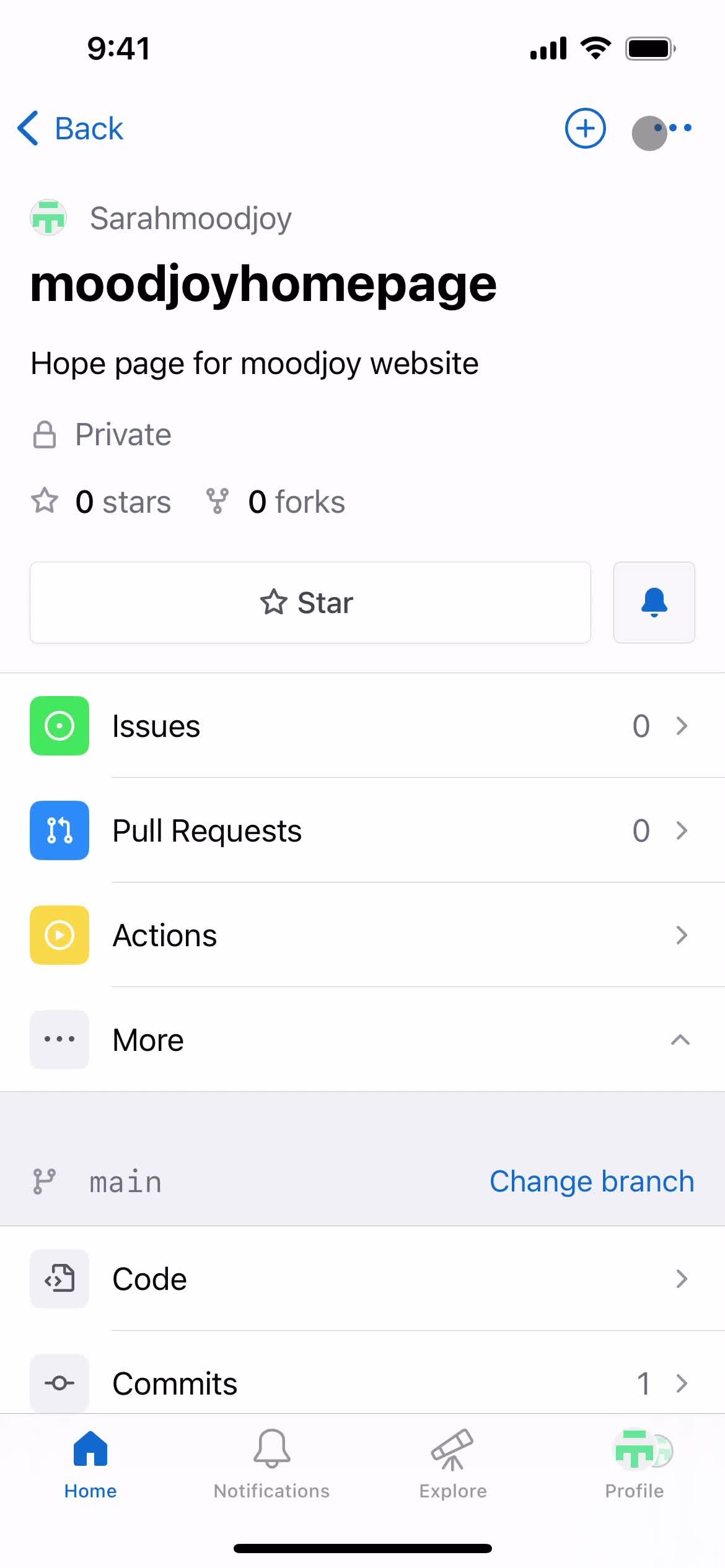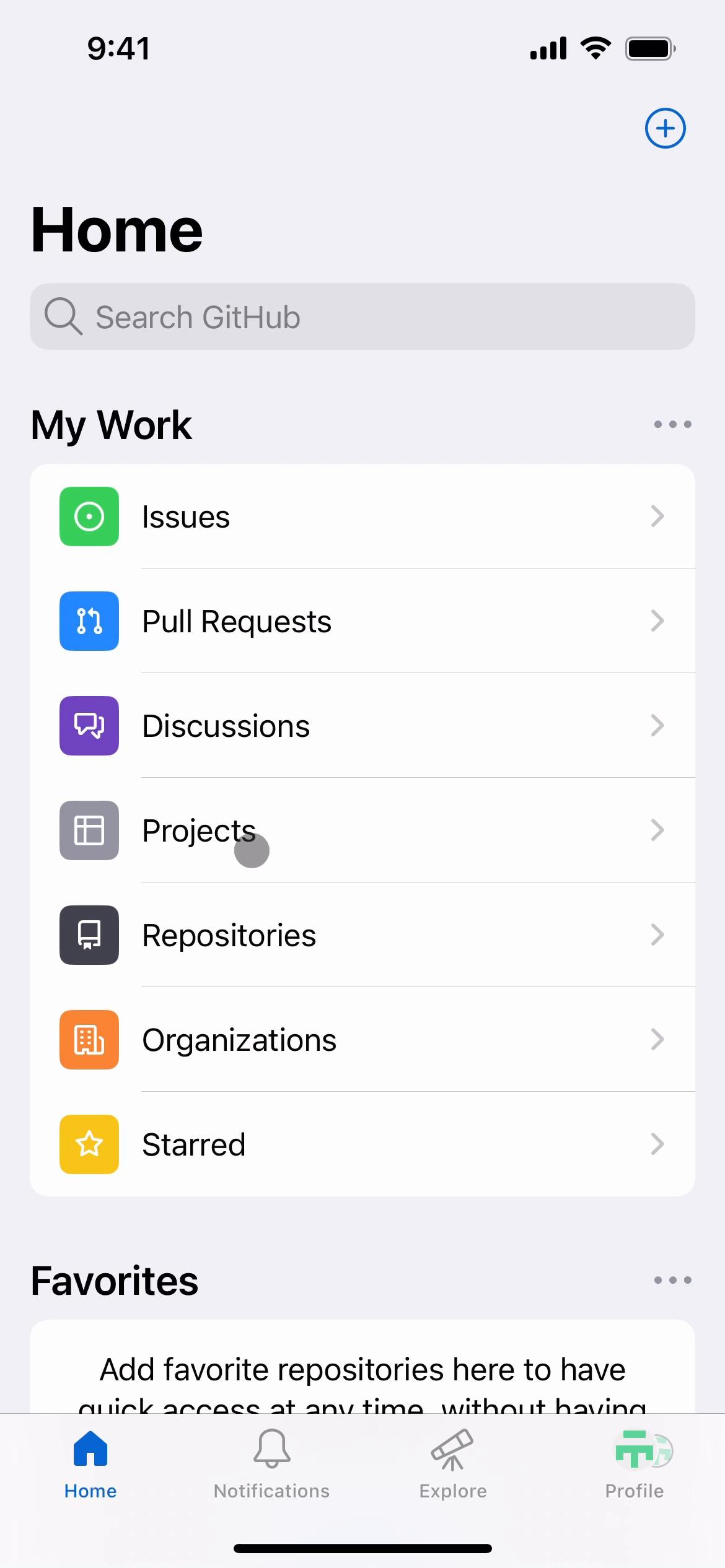
Saving Flow in GitHub for iOS

Watch a recorded Saving flow inside GitHub for iOS. Every screen, tap, and transition is captured step by step — see exactly how GitHub designs the Saving experience on iPhone.

GitHub is a platform for software development and version control, primarily used by developers to collaborate on code. It offers tools for project management, code review, and version tracking, enabling teams to build and maintain software efficiently. GitHub also supports integrations through GitHub Apps, which extend its functionality by automating tasks, managing repositories, and enhancing workflows.

  • iOS
Video preview
In this video
  • Home
  • Repositories
  • Repository
  • Add to favorites
  • Remove item
  • Repository
  • Added to favorites
  • Select list
  • Create list
  • Add description
  • Create list
  • Listing created
  • Repository
  • Home
  • Favorites
  • Delete
  • Continue
  • Home
  • Starred
  • Repository
  • Action menu
  • Edit list
  • Save
  • Repository
  • Starred
  • Delete
  • Starred
Saving 29 Screens
Saving screenshot
Home
Saving screenshot
Repositories
Saving screenshot
Repository
Saving screenshot

Sign up to unlock this user flow

Try 3 Days
Add to favorites
Saving screenshot

Sign up to unlock this user flow

Try 3 Days
Remove item
Saving screenshot

Sign up to unlock this user flow

Try 3 Days
Repository
Saving screenshot

Sign up to unlock this user flow

Try 3 Days
Added to favorites
Saving screenshot

Sign up to unlock this user flow

Try 3 Days
Select list
Saving screenshot

Sign up to unlock this user flow

Try 3 Days
Create list
Saving screenshot

Sign up to unlock this user flow

Try 3 Days
Add description
Saving screenshot

Sign up to unlock this user flow

Try 3 Days
Create list
Saving screenshot

Sign up to unlock this user flow

Try 3 Days
Listing created
Saving screenshot

Sign up to unlock this user flow

Try 3 Days
Repository
Saving screenshot

Sign up to unlock this user flow

Try 3 Days
Home
Saving screenshot

Sign up to unlock this user flow

Try 3 Days
Favorites
Saving screenshot

Sign up to unlock this user flow

Try 3 Days
Saving screenshot

Sign up to unlock this user flow

Try 3 Days
Delete
Saving screenshot

Sign up to unlock this user flow

Try 3 Days
Continue
Saving screenshot

Sign up to unlock this user flow

Try 3 Days
Home
Saving screenshot

Sign up to unlock this user flow

Try 3 Days
Starred
Saving screenshot

Sign up to unlock this user flow

Try 3 Days
Repository
Saving screenshot

Sign up to unlock this user flow

Try 3 Days
Action menu
Saving screenshot

Sign up to unlock this user flow

Try 3 Days
Edit list
Saving screenshot

Sign up to unlock this user flow

Try 3 Days
Save
Saving screenshot

Sign up to unlock this user flow

Try 3 Days
Repository
Saving screenshot

Sign up to unlock this user flow

Try 3 Days
Starred
Saving screenshot

Sign up to unlock this user flow

Try 3 Days
Saving screenshot

Sign up to unlock this user flow

Try 3 Days
Delete
Saving screenshot

Sign up to unlock this user flow

Try 3 Days
Starred
Unlock 21 hidden flows

Log In or Sign Up to See All
GitHub Flows

  • Home
  • Repositories
  • Repository
  • Add to favorites
  • Remove item
  • Repository
  • Added to favorites
  • Select list
  • Create list
  • Add description
  • Create list
  • Listing created
  • Repository
  • Home
  • Favorites
  • Delete
  • Continue
  • Home
  • Starred
  • Repository
  • Action menu
  • Edit list
  • Save
  • Repository
  • Starred
  • Delete
  • Starred

Other Business apps you might like

Eventbrite screenshot
Mailchimp screenshot
Slack screenshot
Dropbox screenshot

GitHub Saving Flow on iOS — Screen by Screen

This recording documents the Saving flow inside GitHub on iOS, captured screen by screen from the live app. Rather than showing a static screenshot or a summarized case study, it preserves the full sequence — every transition, microcopy change, and UX decision — so you can study what GitHub actually ships, not what they describe.

How GitHub Structures the Saving Experience

The Saving flow is a specific moment inside the GitHub experience, and studying it in isolation (while still showing it in the context of a real product) makes it easier to extract patterns you can apply elsewhere. Notice how GitHub structures the flow: what it shows first, how it builds momentum, where it places friction, and how it handles completion.

A Real Reference for Saving Research

For designers researching Saving patterns, this recording gives you a direct, real-world reference. For GitHub enthusiasts or competitors, it's a detailed look at how the brand approaches this specific user journey on iOS.

Frequently Asked Questions

How was this Saving flow in GitHub recorded?

The flow was captured directly from the live iOS version of GitHub, preserving the full sequence of screens and interactions exactly as a real user would experience them.

How long is the Saving flow in GitHub?

Length depends on how GitHub has designed the flow — some Saving sequences are intentionally brief, others include multiple steps. Watch the full recording to see the complete timing.

How often is the GitHub Saving flow updated?

Recordings are refreshed when GitHub ships significant redesigns, so the documentation reflects the current iOS experience rather than an outdated version.

Can I see Saving flows from other iOS apps to compare?

Yes. The iOS Saving flows category collects the same flow type from many different iOS apps, so you can benchmark GitHub against competitors and alternative approaches.