We all learned the five senses in elementary school: sight, hearing, smell, taste, and touch. Every time you use a digital product, there’s a human-computer interaction going on. The device uses those first two senses to communicate with you.
A loading bar informs you how long you have to wait to access an app. A little ding alerts you that a notification is waiting. However, haptic technologies introduce a new sense to the mix: touch.
So, what is haptic feedback, and how does it work? Better yet, how can you use it to design better user experiences? Read our guide below for the answers to these questions and more!

What Is Haptic Feedback?
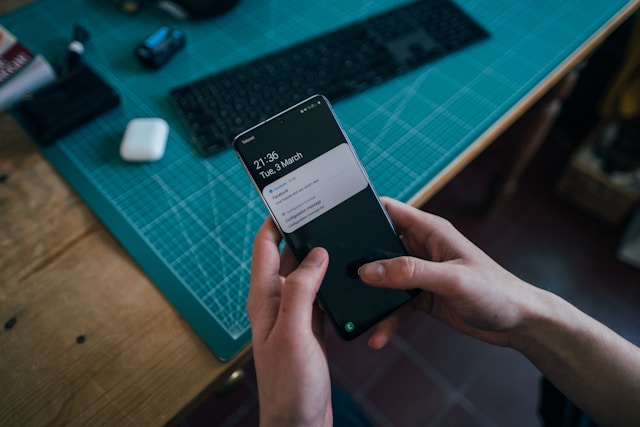
Haptic feedback uses the sense of touch to communicate with you. Haptics is a relatively new technology, with few devices able to initiate a tactile sensation. Most commonly, your mobile phone or your gaming console controller uses this type of technology every time it vibrates.
However, haptics are more than just vibrations. Investments in developing this tool are still ongoing, which makes this an exciting prospect for UX designers. In fact, this industry could be worth over $5 billion by 2027, according to IDTechEx Research.
In theory, haptics can target any part of the somatosensory system, which means they could cause a variety of sensations.
Think of physical sensations like pain, temperature, and the movement of your body in space. All of this provides exciting potential in the haptic field.
So now the question is why? What’s the point?
Why Is Haptic Feedback Important?
Tactile feedback has a range of benefits, depending on the way the designer uses it. Think about visual feedback–pop-up notifications and immersive VR all have different purposes. Haptics are the same.
Three of the most prevalent benefits are immersion, UX accessibility, and accuracy.
Immersive Experiences
Haptics can help designers create an immersive, incredible user experience. They actually relate to skeuomorphism in many ways.
For example, when you type on your phone’s keyboard, there might be a little vibration with each tap. This mirrors the experience of typing on a real-life, physical keyboard.
Beyond that, haptics can make a racing game more realistic by vibrating aggressively when the user crashes. Or, they can make action films more exciting by shaking the chair in a 4D movie theater. See? Endless applications.
Accessibility
One of the most important considerations for UX designers is inclusivity. When you design for accessibility, you not only make your product better for differently abled people. You actually make it more useful for everyone.
Let’s say your phone vibrates. Is it a long, continuous vibration or a short one? By now, you know that the former means you’re receiving a call, while the latter is a text. This haptic sensation is accessible for those with difficulty hearing, but it’s also useful for hearing people.
Any assistive technology like this can provide great benefits for all your users.
Navigational Accuracy
Sometimes, you can use haptic feedback to guide users in the right direction. Certain haptics indicate that a positive action is taking place, while others indicate that something is wrong.
In fact, this tool can improve accuracy for some touchscreen interactions.

How Does Haptic Feedback Work?
Haptics might have a range of benefits, but this doesn’t really explain how they work. Truthfully, it depends on the device.
Each haptic device has a motor, sensor, or speaker to create various haptic feedback options. Tiny motors, for example, create vibrations in mobile phones and gaming consoles.
Meanwhile, ultrasonic mid-air haptics control ultrasound waves to produce a force that the user feels on their hands. Surface haptics modulate friction between the touchscreen and the user’s finger. Game developers sometimes use a variety of these as adaptive triggers, providing resistance under certain conditions.
As you can see, the complexity varies.
So, how does haptic feedback work? Let’s explore some of the different types.
Vibrotactile Feedback
This common type of haptic applies vibrations to the user’s skin. You’ll find it in mobile phones, wearable technology, video game controllers, and various other touchscreens.
While this type of haptic feedback is easy to create and control, it’s limited in its capabilities.
Force Feedback
Force feedback stimulates the skin and muscles to simulate real pressure against the body. It’s deep enough to activate the musculoskeletal system, meaning it can move entire body parts. We’re talking hands and fingers here, not entire human beings.
This type of technology is much rarer, limited to exoskeletons and haptic gloves. In some cases, you’ll find it on racing simulators.
Electrotactile Feedback
Electrotacile feedback provides electrical pulses directly to the skin and its nerves. You’ll need to place electrodes on the user’s skin, but this type doesn’t require mechanical or moving hardware.
The designer can create different sensations by adjusting the current, voltage, and electrode size. Most often, you’ll see this in medical training and VR.
Thermal Feedback
Some tactile experiences are more complex than others. For thermal feedback, you must apply a grid of actuators to the user’s skin, which converts energy to heat. You don’t need a lot of actuators because humans can’t pinpoint the location of thermal stimuli. However, you do need enough to generate heat energy.
Haptic Interface Design
You should think of haptics as a physical metaphor. So, creating interfaces with this technology means building a physical metaphor to provide feedback.
The two main tools you need to consider in haptic interface design are sharpness and intensity.
- Sharpness: The perceived hardness of the impulse
- Intensity: The perceived strength of the impulse
There is a wide array of ways to apply these features. Increase the sharpness, and you can convey important semantic pattern feedback. Reduce the sharpness, and you convey more subtle feedback for continuous experiences.
Meanwhile, increasing the intensity provides feedback for transient events, while decreasing it provides complementary feedback for a neutral event.
From there, you can play with:
- Granularity: The frequency of the impulses and the period between each one. More granularity means more rapid impulses.
- Amplitude: The intensity and magnitude of the impulse
- Timbre: The sharpness with which the user experiences the impulse
Adjusting these will convey different meanings. The user’s brain will use each physical sensation to make sense of something, so be careful how you apply them.
Let’s walk through an example. The user types an incorrect character in a password form that is not permissible. Their device emits a short, sharp vibration accompanied by a chirp. The sharpness here adds a distinct wrong feeling, so the user knows there has been an error. Meanwhile, the light intensity avoids being too disruptive to the typing flow.
Getting it right takes some trial and error (hello again, user testing). But it’s also worth noting some best practices.
Haptic Heuristics
There’s a right and a wrong way to apply physical feedback. These heuristics will help you stay on the right track.
Use Haptics To Enhance Usability
You should be using haptics to enhance usability. A simple vibration can convey a lot, and as we mentioned, it can improve accessibility.
As a rule of thumb, don’t use this tool to decorate interactions. Instead, use it with purpose whenever there’s a need to provide feedback. Don’t just add a vibration to every button press–that would render the device almost unusable.
Build a Clear Feedback Loop
Haptics reinforce a clear cause-and-effect relationship, which is what feedback is all about. Each sensation should result from a specific action. Furthermore, the timing should make it clear which interaction initiated the feedback response.
That way, the user can learn how to interact with the device and get the most out of it.
Make Haptics Complementary
This tool should not be the primary method of conveying feedback. In fact, many devices allow users to turn haptics on or off depending on their preferences. As a result, your product needs to provide feedback visually or through multiple feedback methods.
So, when the device vibrates, there should also be a visual cue of what’s happening now.
Use Haptics Sparingly
Relating back to the first point, don’t just add haptics everywhere there’s an interaction. For some users, they’re distracting. But even those who enjoy this type of technology would become frustrated if they appear too frequently.
Using them sparingly ensures that they provide clearer, more direct feedback to the user. That way, you can avoid disruption and facilitate product usage.
Be Consistent
Many devices have standardizations for haptics. We already used the example of long and short vibrations to signal calls and texts. If you design a communications app where you reverse this, you’re just asking for trouble!
Many of your users will understand haptic patterns already, so don’t try to mess with the status quo too much. Instead, focus on usability and consistency.
Avoid Interruptions
Vibrations can be disruptive. For example, a long, intense vibration while the user is trying to take a picture can mess with the camera. Ensure you know how the haptics will affect other experiences on the device.
Maintain Battery Life
Vibrations can also drain battery life. It’s important to consider this when designing for haptic devices. In fact, this is why you shouldn’t add too many throughout the app. Also, this is why you should let the user toggle haptics on or off, prolonging battery life.
Haptics Examples
These examples will help you understand how haptics look in the real world.
PlayStation 5 DualSense Controller
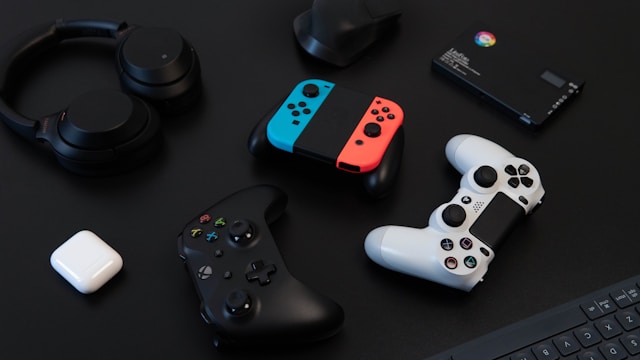
The PS5 controller, introduced in 2020, provides precise vibrations that immerse the user in the game. It uses electricity to vibrate small metal coils in the device, providing incredible precision. Game developers can, therefore, match vibrations closely to in-game situations.
For example, the player feels a different sensation when their character runs over grass compared to concrete.
bHaptics Suit
A Korean startup has created a line of haptic suits compatible with VR games. With a vest, armbands, controllers, and a headset, the player is almost part of the game. Each element of the suit emits vibrations.
So, in a first-person shooter, the player experiences a physical sensation when another player shoots them.
Ultrasonic Speakers
Ultraleap’s hand-tracking technology uses ultrasound in its speakers. They send ultrasonic waves through the air, colliding with the user’s hands at different focal points.
This impressive technology is rare, but it’s amazing that designers are even working on it.
Learn More About UX
So, what is haptic feedback? Hopefully, you know by now! Providing tactile, physical feedback is already common when designing for mobile devices. However, with the rise of VR and other technologies, it’s likely to be used more frequently.
UX designers often have to adjust to new technologies, so staying up-to-date is important. If you’re looking for design inspiration, why not learn from proven products? Page Flows is a helpful resource for finding interaction design ideas. Get started today to access our growing library of user flow recordings and finally keep up with current design trends.