When it comes to UX, the clue is in the name. It’s all about the user experience. Such a diverse array of users access technology every day. So, it’s essential to create products they can all enjoy. This is why accessibility in UX is so important.
Fortunately, there are set guidelines and standards that make a UX designer’s job a little easier. In this guide, we’ll dive into some of the basics. Here’s how you can make your designs more inclusive.
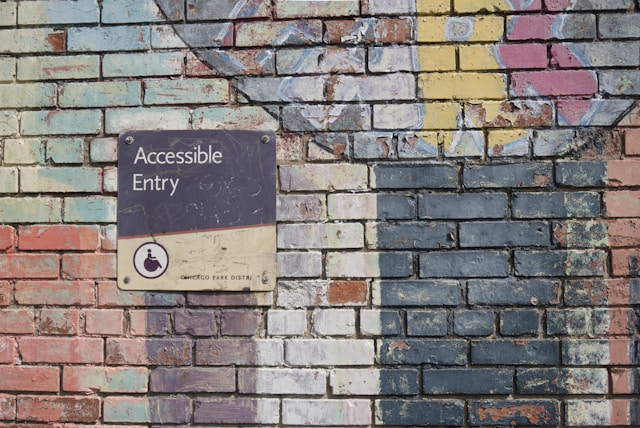
What Is Accessibility in Design?
Firstly, what is accessibility in design? Essentially, accessibility refers to ensuring that users of all cognitive abilities, physical abilities, and so on can use your product. No matter their situation or background, users should be able to access, fully utilize, and enjoy what you create.
Empathy is a huge part of design work. After all, without empathy, you can’t create an enjoyable digital experience. This is why UX teams put so much effort into user research and understanding their precise requirements and pain points. However, accessibility goes beyond just empathizing with a singular user persona.
Instead, it’s about designing for everyone. It means that individuals with disabilities can use your product, preventing you from alienating anyone. This includes those with cognitive disabilities, physical impairments that require assistive devices, or temporary situational disabilities like a broken wrist.
So, the aim is to make products more accessible to users in general. This has some overlap with usability. However, usability focuses on making designs effective and efficient. Accessibility fits neatly under this umbrella, but it has a more specific focus on designing for those with disabilities.
Why Is Accessibility Important?
For some people, the question remains: why is accessibility important? Of course, there’s a moral case to make for accessibility. Why shouldn’t everyone have access to the same digital products? However, the ethical argument is just one reason to consider improving accessibility in UX design.
The Empathy Argument
Empathic design is always the best choice. After all, putting yourself in your users’ shoes means you can design something they really want.
The fact of the matter is that some of your user base will experience disability. However, being inclusive means that even able-bodied users will benefit. Why? Elise Roy’s exceptional TED Talk When We Design for Disability We All Benefit explains it perfectly.
Think of captions, for example. Captions initially existed to help deaf and hard-of-hearing people. However, captions on videos also help those who are simply watching with the volume turned off.
The Statistical Argument
According to the CDC, one in four US adults experiences a disability. This includes 12.4% experiencing a cognitive disability.
Simply put, it makes no sense to alienate such a large section of the population by not designing for accessibility. As a result, some localities have legal requirements for accessibility, ensuring that people with disabilities get access to digital spaces.
The Business Argument
Thinking of accessible design in purely pragmatic terms might seem unethical, but there’s a serious case to make for business. Accessible design increases market reach, as outlined above. However, it also:
- Improves a brand’s marketability, positioning them as forward-thinking and inclusive.
- Improves SEO with semantic HTML.
Finally, accessibility features can drive innovation. To make products that help everyone, designers must think outside the box and come up with novel solutions. Often, these solutions are at the forefront of the tech space. For example, Google’s Project Tango accurately places blind people within a 3D space using computer vision. While Google designed it for visually impaired people, this is a great technological feat.

Accessibility Considerations in UX Design
There are many accessibility considerations in UX design. The World Wide Web Consortium (W3C)’s Web Content Accessibility Guidelines (WCAG) outlines these in more detail. It breaks them down into four main categories:
- Perceivable: Can users consume the content in different ways?
- Operable: Can users operate the product without confusion and without the use of a mouse or complex interactions?
- Understandable: Can users understand how the user interface functions and the information on the site?
- Robust: Can assistive technologies (like screen readers) understand the website?
As you can tell from these principles, designing for accessibility is more than just ensuring the visual elements make sense. In fact, a lot of it goes into the code and usability of the site. If you want to understand accessibility considerations, you first need to understand potential issues.
Potential Accessibility Issues
Users might encounter accessibility issues for a huge range of reasons. This includes:
- Visual, such as color blindness or visual impairments
- Auditory, including deafness or partial hearing
- Motor/mobility, such as wheelchair users
- Learning/cognitive, such as dyslexia
- Seizures, including photosensitive epilepsy
- Incidental, such as sleep deprivation
- Environmental, such as using a phone in a crowded space
These are just common barriers. There may be other factors, too, which is something you can uncover during user research.
Standards for Accessible Design
During the design process, it’s worth familiarizing yourself with the WCAG. Here are some important points to keep in mind:
- Create user personas with varying abilities.
- Use header tags in text, preferably with CSS, for consistency throughout. Move consecutively from one heading level to the next.
- Use a content management system (CMS) that supports accessibility standards, such as WordPress. Ensure any templates or themes are accessible.
- Incorporate a link strategy to describe the link before inserting it. Provide visual cues for links.
- Provide alt text for images.
- Reference shapes to guide users (e.g., “click the rectangular button.”)
- Use correct HTML elements in lists.
- Present dynamic content, like slideshows, carefully.
- Think about how screen readers handle forms; label the fields and describe them.
- Offer transcriptions or captions for audio resources.
- Use simpler language to make your content easier to understand.
- Make your product usable without a mouse.

How To Improve Web Site Accessibility
There are tons of ways to improve website accessibility, including those outlined above and in the WCAG. That said, here are five simple ways to boost the inclusivity of your site.
1. Consider Color
Color is important for many reasons, not least the contrast. Ideally, color should not be the only thing you use to convey information. Think of e-commerce sites, for example. When you click a color, there’s often a label describing the color, too. Or, when information is important, use a bold font instead of just a different color.
You can use tools like WAVE and Color Oracle to test the accessibility of your design.
2. Make Use of Text
Your digital design should make ample use of text so that screen readers can access them. This means using appropriate alt text for images, transcriptions for audio, and so on.
Furthermore, text blocks with narrow widths are easier to read. The WCAG recommends keeping a line of text below 80 characters. Furthermore, avoid using justified text.
Another recommendation from the WCAG is to write at a ‘lower secondary education level.’ So, keep this in mind when writing UX copy.
3. Provide Visual Cues
Visual cues are very important. All of your fonts and buttons should be large enough to click with an unstable hand. You can also incorporate scrollable links using the TAB key with :focus {outline: 0;} enabled in the backend CSS.
Meanwhile, forms require three things for accessibility:
- Clearly defined boundaries
- Visible labels
- Helper text
Don’t get rid of these for the sake of minimalism because they’re important for accessibility. The boundaries are helpful for those with mobility impairments, while labels assist with screen readers. Plus, labels don’t disappear, unlike placeholder text. So, those with cognitive disabilities always have assistance at hand.
4. Think About Navigation
Navigating your product is important. In modern UX, many sites use visibility only for primary actions and hover for secondary ones. However, hovering excludes keyboard-only interactions.
Make sure you think about keyboard shortcuts and how users can navigate your site without a mouse. Furthermore, consider speech recognition and whether users need all actionable items visible on the screen.
5. Test With Real Users
Usability testing is a central part of any UX design. However, it’s even more important when it comes to accessibility in design. Reading the WCAG guidelines is one thing, but implementing them is another. Find a large sample of your target audience so that you can test with real users. Some might be experiencing some of these impairments.
Also, make sure you check your site using online tools like the ones below.
Important Accessibility Resources
It can be really helpful to use online tools and guides when learning about UX. Here are some useful accessibility resources to keep on hand.
- The A11Y Project: A collection of resources focused on inclusion and accessibility.
- Microsoft Inclusive Design Toolkit: A simple guide to inclusive design principles.
- Deceptive Patterns: A guide on ‘dark patterns’ and the laws surrounding them.
- UK Government Review into Algorithmic Bias: A study into biases in algorithms.
- Ecograder: Test how sustainable your website is.
- Maya Benari’s Empathy Maker: Uses the Microsoft Inclusive Scenarios to generate different viewpoints.
- Cambridge University Open Source Inclusive Design Personas: Design personas for every type of user.
- Figma Accessibility Plugins: A list of Figma plug-ins to test your accessibility.

Get More Accessibility in UX Inspiration with Page Flows
Accessibility in UX is an important–and ever-changing–issue. It’s something you should consider throughout the development process of any product.
In the meantime, it’s about time you got some great inspiration for your next project. Page Flows is a helpful resource for finding accessible design ideas. Get started today to access our growing library of user flow recordings and finally stay up-to-date with current design trends.