Designing a digital product involves multiple stages, each requiring different tools. The two main elements of the product development process are a mockup and a wireframe. Understanding the differences between these tools and knowing when and how to use them will help you improve the design process. If you use them both properly, your users will enjoy a more finished product.
If you want to incorporate both elements into your future design process, read on to explore the similarities and differences between mockup vs wireframe tools.
Mockup vs Wireframe: How You Can Tell Them Apart
When looking at wireframes vs mockups, you may get a bit confused if you are a beginner in UX design. They both serve different purposes, but they look similar. Let’s take a look at their key differences.
Wireframe
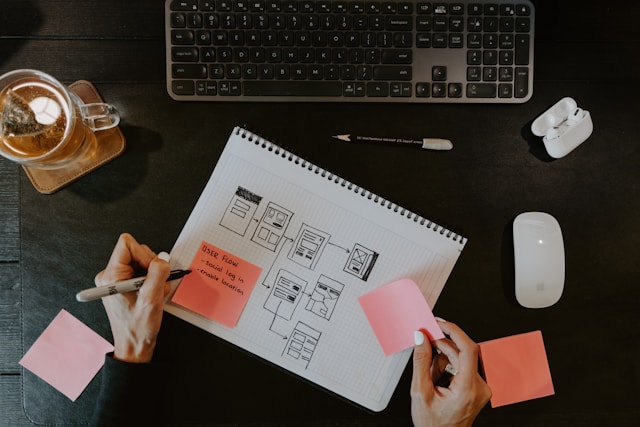
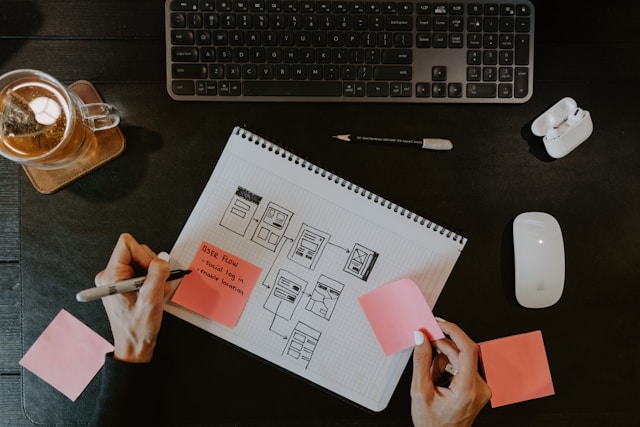
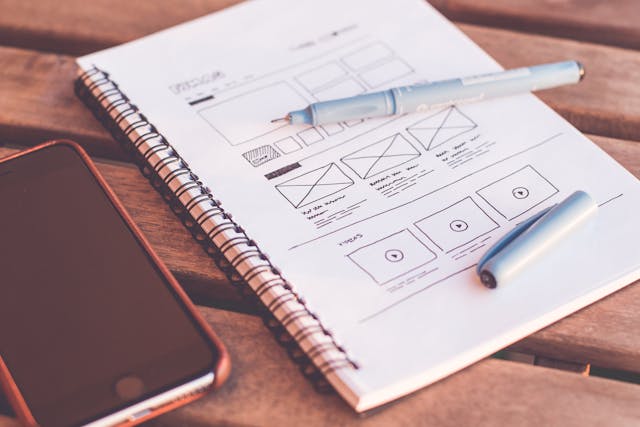
A wireframe is a low-fidelity representation of a digital product. It focuses on the basic structure and layout without going into detailed design elements. Low-fidelity wireframes outline where all the elements like headers, images, text, and buttons will go on the screen.
Remember that wireframes are very basic. Design teams shouldn’t get bogged down in the finer details. They usually use lines and boxes to represent content areas and elements of the interface.
Wireframes are crucial in the very early stages of design. Think of them as a basic structure that will outline the future design of the product.
Mockup
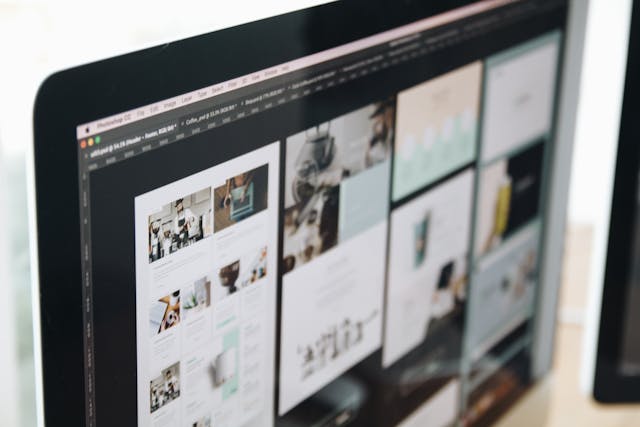
Mockups can help you make high-fidelity prototypes acting as a static representation of the digital product. Unlike wireframes, mockups outline visual design elements like colors and typography. They allow you to look at a more realistic visual of what the product will look like.
Designers use mockups later in the design process to refine the visual design. This communicates the final appearance of the product to stakeholders, including managers and developers.
The Difference Between Wireframe and Mockup Elements
Still unsure about the difference between wireframe and mockup elements? Let’s take a closer look to help you with your future UX designs.
Fidelity
Fidelity refers to how much detail you add to a design. More specifically:
- Wireframes are low-fidelity designs focusing on layout and structure. It only uses basic shapes and lines to represent elements.
- Mockups are high-fidelity designs, including visual design elements. They use actual colors and fonts to showcase how the final product will look.
Purpose
The main purpose of wireframes is to establish an initial and basic structure and layout of the product. Looking closer at their difference with mockups, we can deduce that:
- Wireframes help you understand the user flow and determine how different elements will look. For instance, if you’re developing a mobile app, they help you figure out where buttons will go.
- Mockups visualize the final design. They help you refine the aesthetic details to improve future user interactions.
Stages of Design
When you start the design process, there are different stages. Specifically, when looking at wireframes and mockups, consider the following:
- You use wireframes at the very early beginning of the product design process. It’s a way of brainstorming to improve layout and flow.
Mockups happen in the later stages of design. The design team uses them to communicate the final stages of the design process to others.
When To Use Wireframe or Mockup Designs
Choosing whether it’s right to use a wireframe or mockup depends on the stage you’re at in the design process. You also need to think about the goals you’re hoping to achieve. Here’s when to use wireframe or mockup designs.
Using Wireframes
When using wireframes, keep in mind the following:
- Early stage learning. Use it in the initial stages of the design process to map out basic structures. This helps establish proper user flow to identify potential usability issues.
- Collaborative discussions. Wireframes are ideal for discussions within the design team. They provide a clearer and more straightforward way to communicate their ideas and gather feedback.
- Testing interactions with users. Wireframes are great for testing basic user interactions and navigation flows. While they are low fidelity, they can still provide some valuable insights into how users interact with products.
Using Mockups
When using mockups during the design process, you should:
- Refine the visual design. You should only use mockups to refine and finalize the visual design. This includes all the colors and fonts you plan to use.
- Carry out stakeholder presentations. Mockups can help you present your ideas to stakeholders, giving them a realistic view of the product. It makes it far easier for them to approve the design.
- Do a development handoff. Using mockup designs during development helps you communicate your visual designs to developers. This ensures that the final product matches the design needs.

Wireframe and Mockup Best Practices
Implementing UX best practices when creating your wireframes and mockups can help you improve the design process.
Here are some general rules you should follow when considering wireframe and mockup best practices.
Best Practices for Wireframes
When making wireframes, it is important to:
- Keep them simple. Focus on basic structure and layout. Avoid adding too much detail.
- Use placeholder text and images. Don’t get bogged down when writing a preliminary copy.
- Create them quickly. Use them to get rapid feedback. Then, you can move on with the design process and get approval from product managers.
Best Practices for Mockups
Regarding mockups, you must:
- Focus on creating consistent visuals. Ensure your visual designs look the same, including fonts and colors.
- Use real content in your mockup. Forget placeholders in the mockup phase. This will help you get a more accurate representation of the final product.
- Get feedback early. Share with stakeholders and gather feedback very early on. That way, you can fix design issues quickly.
- Prepare for development. Make mockups detailed and precise so you can move on quickly to developing the UX product.
Frequently Asked Questions
What are the key differences between wireframes and mockups?
The key differences between wireframes and mockups are their fidelity and overall purpose in the design process. Wireframes are low-fidelity designs that focus on basic structure and layout. Mockups are high-fidelity designs showcasing more detailed visual elements.
What is a mockup?
Think of a mockup as a high-fidelity and static representation of a digital product or UX design. It includes all the details of the elements the developers will use, like colors and typography.
What is a wireframe?
The term wireframe means a low-fidelity look at a digital product. It only uses simple lines and shapes to help outline where key elements will go. This includes all your headers, images, and buttons and where they will go on the screen.
Designers only create wireframes in the very early stages of the design process. Their key purpose is to indicate user flow. You’re not supposed to spend too much time focusing on the details of visual design at this stage.
Improve Your UX Design Processes Using Page Flows
Now that you know about the difference between a mockup vs a wireframe, you can focus on enhancing your design skills. Page Flows is a comprehensive library of user flow videos and screenshots from top digital products. These resources provide insights into successful design practices to help you create better user interactions for your target audience.
Using Page Flows allows you to refine your wireframes and mockups so that your final product shines on the market. Explore Page Flows today to improve your digital products in the long term.