Have you ever wanted to know how to build a website from scratch? If you work in UX/UI, chances are that you’ll have to do this at some point. That’s especially true if you work at a startup or a small company. The trouble is that creating something from nothing is astoundingly difficult, especially with budget constraints. Enter: design patterns in web design.
These templates can help developers create amazing designs in much less time. But what is the difference between all the design patterns available? Keep reading as we take a deep dive into the differences and similarities of design patterns used more frequently in web and app development.
What Are Design Patterns in Web Design?
The first type of design pattern is for developers and coders. These patterns are like best practices for UX and UI design, giving you an indication of what and how to code. They set the expectations for the team so everyone knows what the code should do and what vocabulary to use.
No matter what programming language you’re used to, a design pattern can help you stay on the right track.
Meanwhile, design patterns can also refer to user-facing components on the interface. These are “patterns” that users are really familiar with, which improve the user experience. It’s worth noting that these are not standardized templates. Instead, they are collections of best practices.
Both types of patterns are important, so we’ll cover both of them here.

Why You Need Design Patterns
There are two main reasons why you should use design patterns.
First, they ensure good user experience (UX). They help the designer place elements in a way that best serves the user. As a result, the users have a good time and keep coming back to your site.
Imagine you want to buy a shirt. You go to a new e-commerce site your friend told you about. But the menu isn’t at the top of the homepage. The search bar is nowhere to be seen, either. In the few seconds it takes your brain to scan the page, you’ll probably give up. So, you hit the back button and go to an easier site.
This is the value of patterns. Because if the next site you click on has all the elements in the place you expect, you’ll stay.
Secondly, design patterns make designing easier. Since these patterns address common issues across different websites, designers don’t need to invent new solutions. Plus, designers have developed these patterns based on years and years of testing. So, you know that they’ll actually work.
Indeed, a lot of user interface (UI) and UX design patterns are just common sense. As a designer, you’re likely an internet user yourself. So you’ll know what helps you use a site. However, others are based on intricate user testing. Don’t overlook the power of these patterns.

Types of Design Patterns You Are Most Likely To Use
The book Design Patterns – Elements of Reusable Object-Oriened Software establishes 23 different patterns. These are all web design patterns that coders can use to develop a functional website. Of course, not all 23 are as common as one another.
Here are seven of the most influential design patterns in web design.
1. Model-View-Controller (MVC)
The MVC design pattern separates any application into three components:
- Model: The data and logic
- View: The presentation layer
- Controller: The communication between the Model and the View
These parts are all connected. The pattern promotes the separation of concerns, ensuring developers can focus on one thing at a time. The aim is to improve code organization.
Popular web frameworks, including Ruby on Rails, use the MVC pattern.
2. Singleton Pattern
This pattern allows a class or object to have only one instance. It uses a global variable to store that instance. As a result, you can use lazy loading because it will only create the class when you need it.
The goal is to regulate the global state of an application. With only one instance active at one time, there’s little to no risk of weird bugs.
You’re probably already familiar with this pattern, thanks to your logger. If you work with front-end design frameworks like React, you’ll already know how challenging it is to handle logs. But, the Singleton pattern can prevent more than one instance of a logger object especially if you have an error-tracking tool in place.
3. Factory Pattern
This pattern provides an interface for creating objects. However, it delegates the instance to subclasses or concrete implementations.
So, it promotes loose coupling, allowing for flexibility in creating objects. As a result, it’s easier to introduce new object types without modifying the existing code.
You can use this pattern for e-commerce sites. For example, to create different types of payment gateways.
4. Observer Pattern
The Observer pattern is remarkably similar to the MVC pattern in many ways. In fact, if you have used MVC, you have already used Observer.
Here, the Model is like a subject, and the View is like an observer of that subject. The subjects store all the data and the state of that data. Meanwhile, observers get that data from the subject whenever there’s an update.
The goal is to create a one-to-many relationship between the subject and all of its observers. So, when the designer changes the subject, the observers will update instantly in accordance.
This pattern is useful for things like:
- Sending user notifications
- Filters
- Handling subscribers
- Updating

5. Strategy Pattern
This pattern is like an advanced “if else” statement. Here, you make an interface for a method you have in your base class. The interface then finds the right implementation of that method to use in a derived class. So, the design system decides the implementation at runtime based on the client.
This is a very useful pattern if you have both required and optional methods for a single class. Not all instances need the optional methods, and this presents a problem for inheritance solutions. It saves you from having to write the implementation every time you use the class.
The strategy pattern essentially delegates to a strategy interface to find the right implementation. And one common use for this is payment processing. You never see a shopping cart that only lets users check out with credit cards. Instead, they offer online payment methods, debit cards, and vouchers, too.
The strategy pattern allows you to decouple the payment methods from the checkout process. So, you can add strategies without actually changing the code.
You can also use this pattern to dynamically change strategies based on user input.
6. Decorator Pattern
The Decorator pattern is very simple. It allows you to assign a base class with methods that are present when you make a new object. Let’s say you have some instances of the class that need methods or properties not from the base class. You can still add them. With other patterns, doing this might mess up your other instances. It’s inefficient.
However, this pattern allows you to tack things onto the end instead of writing lines of new code.
For example, you can use a decorator pattern to add the price to an object instance. It won’t affect other instances of that class object.
7. Dependency Injection (DI) Pattern
This pattern is about injecting dependencies into an object. This is instead of having the object create its own dependencies. It promotes loose coupling and allows for easy testing because you can simply substitute different dependencies.
Dependency injection frameworks include Angular and Spring.

7 Common Design Patterns in Web Development
On the other side of the coin are front-end patterns that the user sees and interacts with. These are the things that you’ll likely have noticed if you’ve ever used an app or a website (highly likely). You might have only registered them subconsciously, but these ever-present patterns can vastly improve your experience.
Here are seven common design patterns in web development.
1. Grid Layout
A lot of modern websites use the grid layout. This pattern divides the page into a grid format, with a set number of columns of equal width and spacing. Page elements appear based on these column boundaries.
As a result, the site displays information of equal importance in a way that’s easy for users to follow.
2. Wizard
A wizard helps users to complete a series of steps as they work toward a goal. A great example is during onboarding when users might undergo a tutorial.
Wizards present one step at a time, showing users where they are in the process. Each window contains just one step, buttons to navigate forward and backward, and an option to cancel.
3. Infinite Scroll
On social media and news sites, infinite scroll is a common pattern. It means that new content keeps loading when users hit the bottom of the window. It provides the illusion of an “endless flow” of content, resulting in high engagement and interaction.
This has quite specific use cases and doesn’t apply when users are looking for something specific.
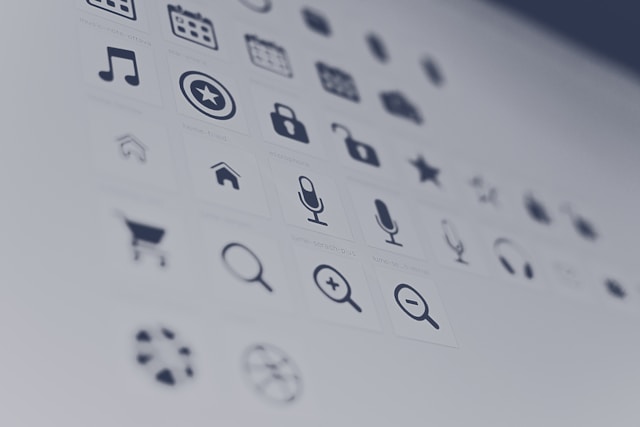
4. Hamburger Button
A hamburger button condenses the website’s menu into a single icon. It looks like three horizontal lines (hence, hamburger). When the user clicks it, a menu of links appears.
These are very common on mobile app design, but you’ll see them on desktops these days, too.
5. Pull To Refresh
On mobile applications, the user can often pull their finger down from the top of the screen to refresh. This loads new content. It’s common on social media or sites where information is constantly updated.
This is a very common design pattern. However, it requires a “refresh indicator” to work effectively.
6. Shopping Cart
Any e-commerce website needs a shopping cart. Users browse the site, add an item to the cart using a button, and then go through the checkout process. The cart needs to be accessible from any page via a link, usually in the top right corner.
7. Drag and Drop Uploads
On a desktop, drag-and-drop is a very common pattern when you want to upload something. It’s efficient for the user because it allows them to perform one interaction rather than multiple clicks.
The pattern designates a large page region for “dropping” files. It also features frequent visual feedback.

How To Use Patterns in Web Design
There are endless design patterns available at your fingertips. Part of the problem is tracking them down and finding them all. Fortunately, there are plenty of pattern libraries to help you explore and find what you need. UI-Patterns.com is one of many examples.
Now, all that’s left is to actually implement these design patterns into your processes. Here are some tips:
- Consider the site’s purpose: Is your website there to sell, inform, entertain, or engage? The answer will influence your choice of design patterns.
- Think about content: The content of the site also has a large influence. For example, the web layout of an e-commerce site must prioritize product visibility and transactions. Meanwhile, news websites might focus more on readability.
- Take a holistic approach: Think about the bigger picture while you’re designing. Every element should complement the others.
- Don’t do things by the book: Design patterns aren’t a one-size-fits-all solution. They do, however, offer valuable guidance. So, feel free to be creative within the limits of these best practices.
- Be careful with color: Aside from design patterns, there are also aesthetic patterns. It’s important to be careful with these and use them sporadically, as they can become distracting for the user.
Leveraging design patterns can take you a long way, but only if you know how to use them effectively.

FAQs
What do we mean by patterns in web design?
When we talk about patterns in web design we refer to specific guidelines that have to be followed when designing a website or app and that take the user intention in mind.
What design pattern is mostly used in web development?
The design pattern used in web development most commonly is the Model-View-Controller pattern.
Should I remember all the design patterns?
You don’t need to remember all the design patterns available. However, you need to memorize the most commonly used ones and have a deep understanding of the rest.
Need Design Inspiration? Find It With Page Flows
If you’re looking for design patterns, look no further. Page Flows has all the web design inspiration you need, from user flows to micro-interactions. If you want to see the best design patterns in web design, you can find them here.
Get started today and browse our full library of UX/UI user flows and take your designs to the next level!