The employee onboarding process is extremely important for new hires. It’s during this process that an employee will learn about their roles, meet their co-workers, and heed company policies.
Given the amount of information a new hire must learn, it’s easy to imagine how essential onboarding documents are.
For that reason, we’ll focus on crucial onboarding documents in today’s guide. Not only will we reveal what these documents entail, but we’ll also discuss how to create an effective onboarding document for your business!

What Are Employee Onboarding Documents?
Employee onboarding documents are a compilation of documents that every new hire receives during the onboarding process. These documents contain critical information that an employee can use to assimilate into a company’s culture quickly and effectively.
This information helps employees understand their roles, collect accurate wages, and align themselves with a company’s vision.
Expectedly, some of these documents are legal forms, while other documents are company-specific or even role-specific.
Ultimately, without onboarding documentation, a new hire wouldn’t be able to thrive in their budding career, and it’s surprising that 36% of employers don’t have an organized onboarding process in place based on data from Exploding Topics.
The Types of Must-Have Documents for New Hires
To understand how important onboarding documentation is, you need to know about the different types of documents new employees need. Below, we’ve discussed these documents so you can successfully prepare your new employees for their roles.
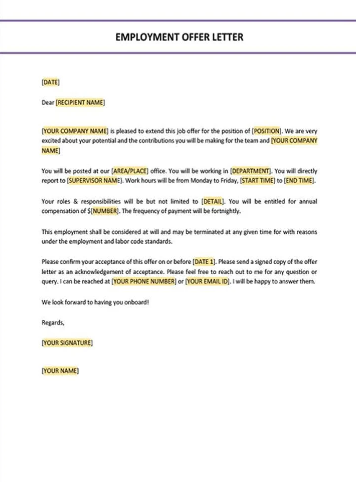
1. Employment Offer Letter
Preceding an employment contract, your offer letter is an official contract that clarifies the terms of a potential hire’s employment. In other words, this is where you should clearly communicate the value of the role your candidates are interviewing for.
For that reason, your offer letter should always include the following:
- The job title
- A job description
- All compensations and benefits (think salary, commissions, health insurance plans, retirement plans, etc.)
- The employee’s start date
- The job’s location
- Any contingencies like compulsory background checks
While this contract isn’t legally binding, you’ll need both parties to co-sign it. This gives you evidence that both your business and your new hire agree to the letter’s terms.
2. Employment Contract
An employment contract often contains the same information as an employment offer letter, just in more detail. For instance, an employee contract may discuss termination terms and confidentiality clauses.
This contract is legally binding and can prove handy if you find yourself in any legal disputes that may occur. Overall, this contract ensures that you and your new employee share the same expectations about their new role.
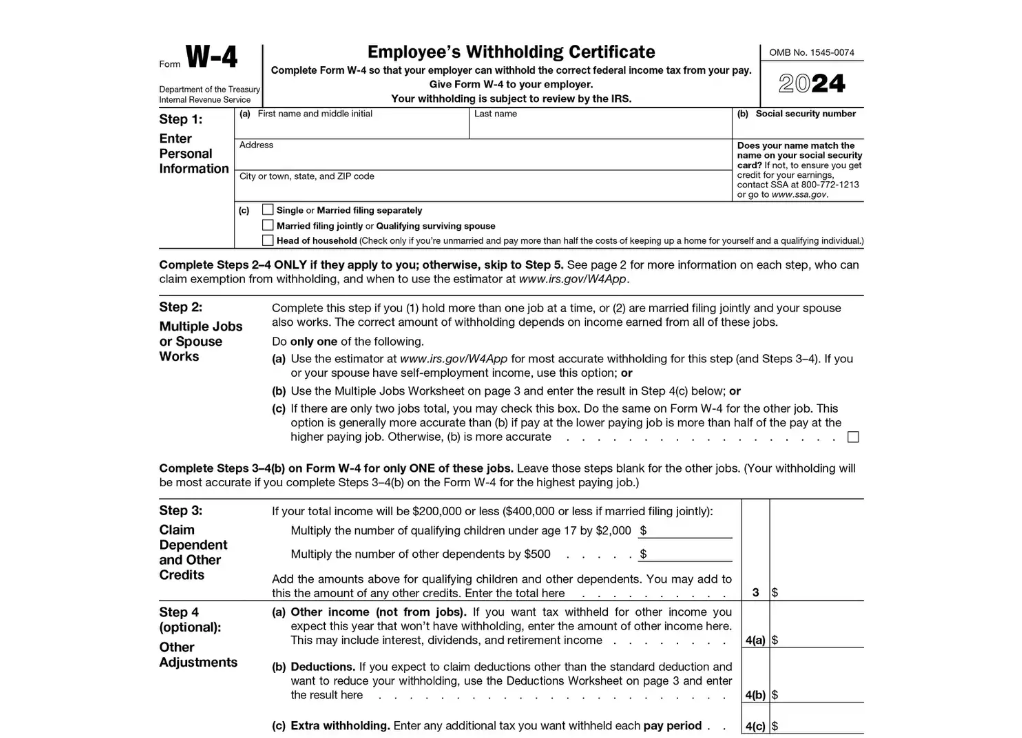
3. W-4 Form
A W-4 form, or a tax withholding form, allows an employer to withhold the right amount of federal income tax. The employer will then deduct this amount from an employee’s wages going forth.
An employee, full-time or part-time, must complete this form early in the onboarding process before they receive their first paycheck.
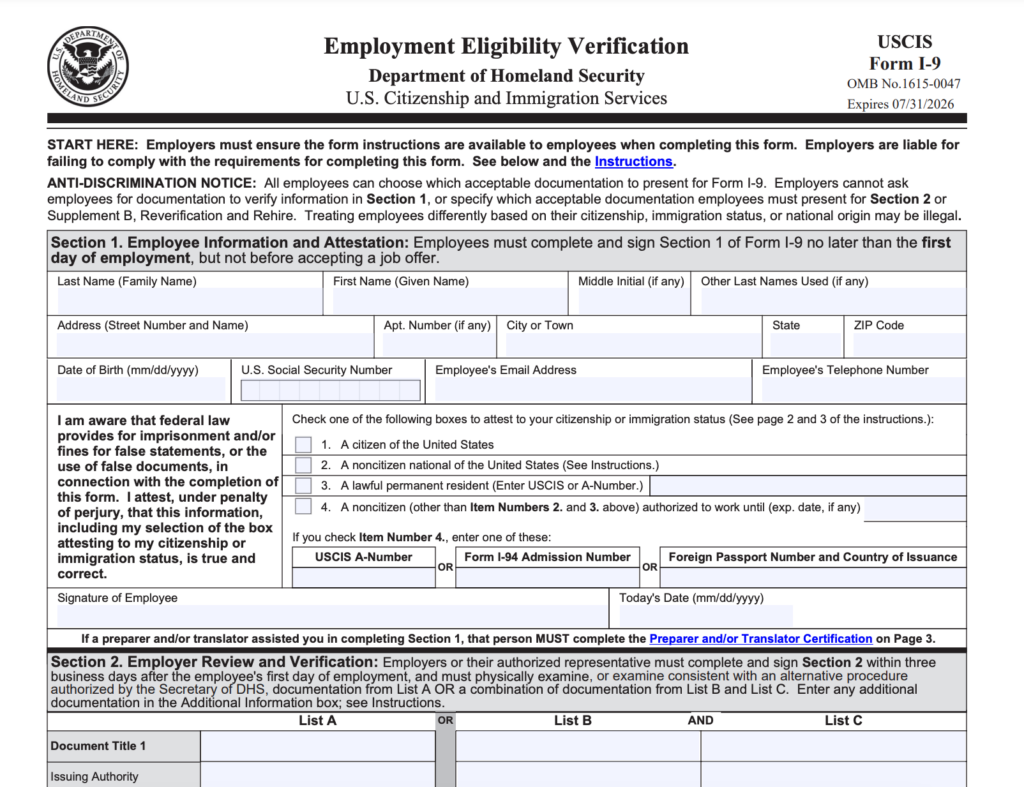
4. I-9 Form
One of the other legal documents you must include in your onboarding process is an I-9 form. This form confirms an employee’s identity and eligibility to work in the United States.
Both the employee and the employer must complete the I-9 form within three business days of the employee’s start date.
If an employer doesn’t verify that their new hires can legally work in the US, they could face hefty fines. Employees who don’t complete the I-9 form could risk losing their employment altogether.
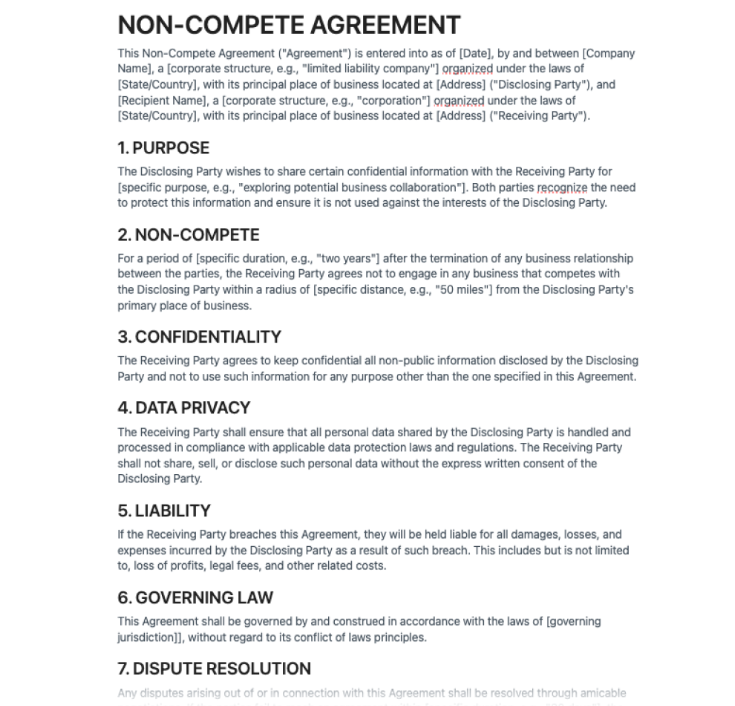
5. Non-Compete Agreement
Non-compete agreements restrict employees from working for a competitor’s business after they terminate their current contract. This agreement is a means of protecting a company’s intellectual property.
Please note that some states, including California and Minnesota, ban non-compete agreements. It’s best to research your state’s stance on non-compete agreements before presenting one to your new hires.
6. Non-Disclosure Agreement
Non-disclosure agreements are legal contracts that prevent an employee from sharing confidential information with external parties. These agreements help businesses protect their valuable data during and after an employee’s employment.
7. Employee Handbook
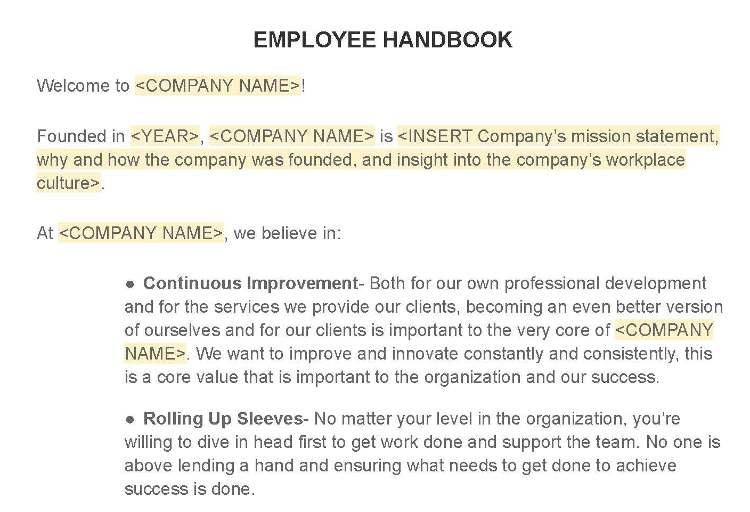
An employee handbook serves as a new hire’s guide to understanding the business they now work for. It contains everything you’d expect: a code of conduct and company policies, as well as the business’s history and mission.
This handbook often also details a company’s procedures, values, dress codes, and organizational charts. Overall, this information helps new employees comfortably fit into their new workplace and meet their employer’s expectations.
8. Direct Deposit Form
Direct deposit forms allow employers to send money directly into an employee’s bank account. To complete this form, your employee would need to share the correct bank account information with your company’s payroll team.
9. Emergency Contact Information
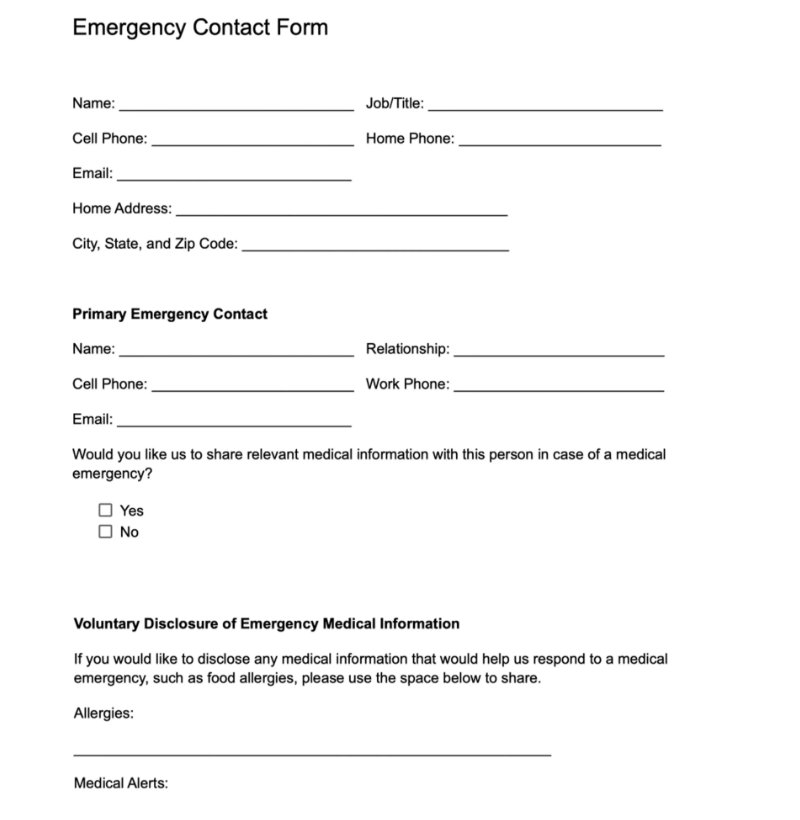
No one likes to think about workplace emergencies, but unfortunately, they can happen. To prepare, you should ask your new employee to share their emergency contact’s details. These details include the contact’s full name, email address, phone number, and their relationship to the employee.
How To Create an Onboarding Document Effectively
Now that you know what your onboarding documentation should look like, the next step is to create them. Below, you’ll learn how to create an onboarding document that will engage your new hires.
1. Structuring Your Document
The first thing you need to do is plan the structure of your onboarding document. Of course, every business’s onboarding process will be slightly different, so brainstorm the crucial content your document needs to cover.
To give you a rough idea of what your structure should look like, consider the following sections:
- A warm introduction that provides an overview of the company and its mission. You may even use this section to explain what users can expect from this particular onboarding process.
- A brief exploration of the company’s history, offerings, and vision.
- A checklist of items that the new hire must complete prior to their first day, like the forms we discussed earlier.
- A clear, detailed explanation of the company’s policies, procedures, and guidelines, including a code of conduct and organizational charts.
- An overview of the employee’s responsibilities, benefits, the members of staff they should report to, and any tools they will use.
- A list of available resources, support, and development opportunities.
- A summary of key points and an outline of the next steps the employee can take.
Use these ideas as inspiration for what you should include in your document’s structure.
2. Enhancing Your Document’s Readability
When you’re happy that your document contains all the right content, you need to enhance it. There are many ways to do this, including scanning it to improve its readability.
Identify areas that could perhaps be shorter and more digestible and break them down accordingly. In other words, adopt the mindset of a UX designer creating products for their users.
You want your “product” to accommodate the “user’s” needs, and your “users” need to assimilate into your company with ease. With that in mind, you should avoid jargon and use bullet points where appropriate. Shorter is simpler, and simpler is ideal for an employee onboarding flow.

3. Incorporating Visual Design
Your employee’s first few days are going to be stressful, especially as they try to retain copious amounts of information. You can help them with this by making your onboarding engaging with visual elements.
By peppering in infographics, flow charts, images, and even animations, you’ll make crucial points easier to remember. For instance, you could use an animation that serves as a tutorial for one of the new hire’s workflows. This would not only help a new hire remember the process, but it also accommodates different learning styles.
Tip: You should also follow the UI design principles to ensure the document aligns with accessible design practices.
4. Improving Employee Engagement
Using visuals will help you make your document more engaging, but you needn’t stop there. Interactivity is crucial to your employee’s engagement with your document, so consider using checklists and quizzes.
From checklists and quizzes, you can also implement elements of gamification like a challenge and reward system. Features as simple as a bold typographic pop-up that reads “Well done!” or a confetti animation can incentivize employee progression.
Since gamification can inject your document with a sense of fun, it can also alleviate the anxieties your new hires will likely feel. In turn, this will lead to enhanced focus and productivity.
Another way you can engage your employees more effectively is personalization. All you need to do to achieve personalization is make small tweaks to a copy of your onboarding document. Let’s say you know that your employee’s personal goals are to climb through the ranks in your company. You could then tailor your recommended development opportunities and resources toward leadership skills.
This would take virtually no time to tweak and would let your new hires know that you value them individually.
5. Reviewing Your Document
The last thing you need to do is assess your onboarding documentation. Make sure you have included all of the important information and forms, proofreading them as you go.
We recommend asking your most recent hires for feedback on how they think the onboarding process could be more beneficial. You can then implement this feedback and improve your documentation for the future.
Once done, you can distribute the document to your new hires before their first day, giving them a chance to prepare!
Onboarding Document Template
Just as user onboarding examples are valuable tools for UX designers, an onboarding document template is extremely handy for you as a business.
For that reason, we’ve compiled a list of the best templates to inspire your own onboarding documents.
- Microsoft Create
- Canva
- Trello
- Smartsheet
- Template.net
FAQ
What are onboarding documents?
Onboarding documents contain everything a new employee needs to assimilate into a company’s culture. They often include an employment contract, a code of conduct, and company policies.
What is an onboarding checklist?
Onboarding checklists allow hiring managers to organize the crucial steps new hires must complete during the onboarding process.
What are the five C’s of effective onboarding?
The five C’s of effective employee onboarding are as follows:
– Clarity (where the hiring manager makes the employees aware of their roles and responsibilities)
– Compliance (where the employee learns about the company’s rules, codes of conduct, and policies)
– Culture (where employees learn about the company’s values and vision)
– Connections (where hiring managers will introduce new hires to their co-workers and senior authorities)
– Check Backs (where the hiring manager will schedule meetings to discuss the new hire’s performance post-onboarding)
Use Onboarding Documents for a Smooth Hiring Process
Employee onboarding is similar to user onboarding in many ways. Like user onboarding, it aims to bridge the gap between an individual and a service by emphasizing said service’s value. What’s more, like employee onboarding, user onboarding requires some guidance to perfect.
That’s where Page Flows enters the picture. With Page Flows, you can leverage the best examples of intuitive, easily navigable web and mobile user flows.
To accommodate all of your onboarding needs, we document onboarding flows from big-name brands like WhatsApp and Vimeo. Best of all, our inspirational onboarding flows only cover a fraction of our vast flow library.
We collect every flow your digital product could ever need, including general browsing, resetting passwords, and customizing settings. Spanning dozens of popular industries, our resources are as versatile as they are valuable.
Like onboarding documents, our user flow library contains everything you need to help you make informed decisions about your work. Go to the Page Flows website now to learn what an exceptional user flow looks like!