UX design portfolios are crucial to every UX designer who wants to attract new clients and show off their skills. As you can imagine, building and refining a professional portfolio can prove a time-consuming task.
For that reason, every designer needs a website builder that they can rely on to streamline their workflows. So, in today’s guide, we’ll help you find the best website builder for UX portfolio design.
How To Find Website Builders for UX Portfolios: 5 Top Factors To Consider
If you want to know how to find website builders for UX portfolios, you must know which factors to consider. Below, we’ve discussed these factors so you can make a well-informed decision about your prospective website builder.
1. Flexibility
Although UX designers focus primarily on the user experience, they could benefit from showing off their visual design skills. After all, it’s their visual design skills that will help them create professional, stylish, and unique portfolios.
You need to consider the flexibility your website builder offers, especially when it comes to customization. For instance, if you’re a perfectionist or simply want to achieve a particular style, you’ll benefit from unlimited customization.
Alternatively, if you prioritize speed over intricate visual flourishes, website builders like Adobe Portfolio may be more suitable. Ultimately, the ideal degree of flexibility will depend on your portfolio’s complexity and aesthetic.
2. Learning Curve
If using website builders is new to you, every website builder will come with a learning curve. The goal here is to select the website builders that don’t have a steep learning curve.
So, when looking into your potential website builders, you should ask yourself the following questions:
- How easy/difficult is the onboarding experience?
- Do I have access to helpful tutorials, tooltips, and interactive walkthroughs?
- Does the website offer templates that are specific to a UX design portfolio?
- Does the website builder have a help center and active community forums?
- Will I have to allocate time to learn how to use advanced tools and features?
- Does the website builder have an intuitive, clean user interface?
Finding the answers to these questions will help you find a website builder that you can master in mere hours.
3. Cost
If you’re working with a strict budget, you’ll need to evaluate and compare the pricing models of your website builders. You’ll also need to assess your needs and decide whether you can create the ideal portfolio for free.
Thankfully, with website builders like Wix and Squarespace, you don’t have to make a pricy commitment immediately. Both website builders offer free trials, allowing you to determine their respective value propositions without risk.
You should also keep an eye out for website builders like Hostinger, which offer generous promotional discounts and money-back guarantees.

4. Responsiveness
We live in a mobile-first world, so it’s only fitting that your website builder prioritizes responsive design practices.
The best website builders will allow you to preview how your portfolio will appear on smaller screens. They will also provide mobile-optimized templates and tools, so you don’t have to compromise the quality of your portfolio.
Ultimately, mobile optimization is a crucial element of a consistent client experience, so it should be part of your criteria. Even more so now that if you have a website that you want to rank, you must optimize it for mobile because Google won’t rank it otherwise.
5. User Reviews
As a UX designer, you know how crucial user feedback is to the success of a digital product. Now that you’re on the other side of the fence, user reviews and ratings can guide your user experience.
We recommend creating a list of pros and cons based on the feedback in your website builders’ review sections. Once you have all of your lists, you’ll be able to narrow down your choices easily.
Tip: Don’t just look for reviews on a website builder’s tools and templates. Look for comments on its personalization options and page load speeds.
4 Main Features That the Best Website Builders Have
You know about the factors that will help you decide which website builder is right for your UX portfolio. It’s time to look at the top-of-the-line features that the best website builders offer.
By knowing these features, you’ll get a better idea of what you need to refine your unique UX portfolio. Again, this is something that will clarify which website-building platform is perfect for you.
1. Personalization/Branding
What makes a website builder a powerful tool for someone creating a UX portfolio is its personalization capabilities. These capabilities will allow you to implement brand-specific elements into your portfolio website. Think of custom color palettes, fonts, domains, and logo designs.
These elements will increase brand awareness and help you establish credibility. In turn, this is what will make you memorable to clients and hiring managers.

2. Third-Party Integrations
It’s no secret that UX designers use a lot of tools at the same time. It would be incredibly useful for you to find a website builder that supports third-party integrations.
Furthermore, we don’t just mean your website builder should support integrations with design tools like Figma or Invision. It should also have the ability to support website monitoring/analytics and social media integrations.
With these integrations, you can easily add your wireframes and prototypes to your portfolio. You’ll even be able to track which projects your visitors view the most, which will help you accommodate their preferences.
3. SEO Optimization
The best website builders will provide you with valuable SEO tools that will increase the visibility of your portfolio.
These tools should cover everything from mobile optimization and meta descriptions to customizable URLs and fast page loading speeds. These SEO-friendly features will not only increase your portfolio’s ranking in search engines but also improve your users’ experiences.
4. Powerful Visual Editors
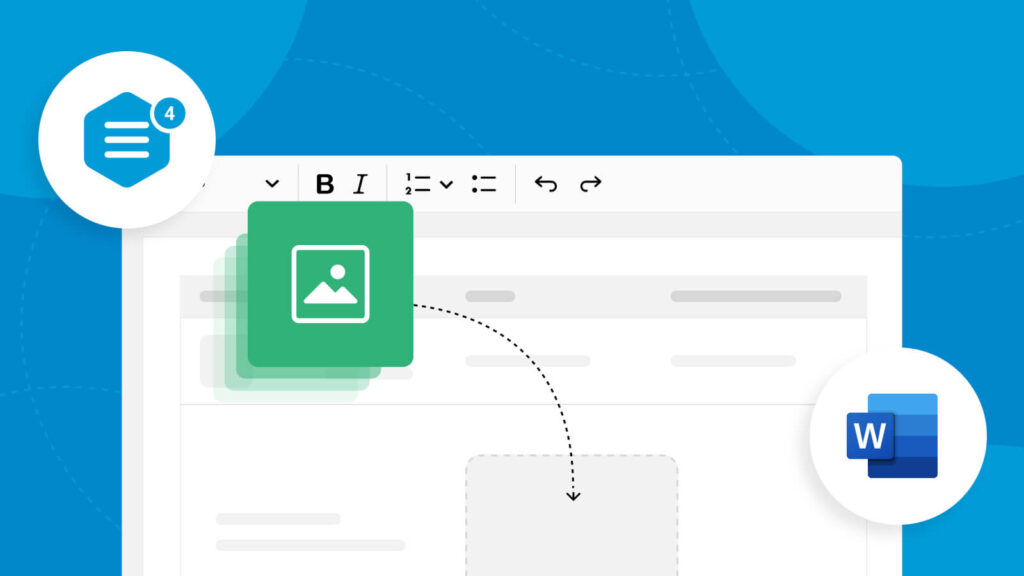
Excellent website-building platforms nearly always have top-tier visual editing functionalities. Specifically, you should look for website builders who support drag-and-drop tools with real-time previews.
With drag-and-drop tools, you can effortlessly create and modify your designs by simply dragging and dropping design elements into them. Needless to say, these tools can save you valuable amounts of time.
Additionally, with real-time previews, you can see how these design elements would look on your live website immediately. Instead of constantly publishing and re-publishing your website upon every change, you can simply make adjustments as you go.

Top Tips for Creating Your UX Portfolio in Your Website Builder
When you start using your chosen website builder, you’ll need some guidance. That’s why we’ve compiled our tip tops for creating a professional UX portfolio in a website builder below.
- Regardless of the templates you use, always opt for a minimalist, clean design style.
- Incorporate high-quality visuals like sketches, wireframes, and mockups into your portfolio.
- Keep your content concise and to the point for the sake of readability and scannability.
- Don’t forget to show off your personal interests, hobbies, and passions in your “About Me” section.
- Demonstrate your UX design process with storytelling techniques in mind.
- Showcase the skills that your clients will value, like communication, collaboration, problem-solving, and user-centricity.
- Prioritize a diverse range of content instead of only including your most aesthetic projects.
- Keep accessibility at the forefront of your mind.
- Demonstrate how your work led to a better user experience with success metrics like conversion rates.
- Consider starting a blog to show off your prowess.
Website Builders To Consider
Before you start conducting your search, we’d like to answer the question on the mind of every UX designer. “What’s the best website builder for my portfolio?”
While that answer ultimately depends on your needs and priorities, we can still shine a light on some noteworthy platforms. Consider investigating the following website builders:
- Wix
- WordPress
- Squarespace
- Hostinger
- Elementor
- Format
- UXfolio
FAQs
What should I look for in a website builder for a UX portfolio?
The most important factors to consider when choosing UX portfolio website builders are cost, ease of use, and customization options.
Is Wix good as a website builder for UX portfolio design?
Many designers praise Wix for its beginner-friendly, easily navigable user interface and customization options. Wix also enables designers to build their portfolio websites from scratch or leverage templates, which allows for better flexibility.
Does a UX portfolio have to be a website?
While you don’t strictly need to create a portfolio website, you’d benefit significantly from doing so. A portfolio website establishes a stronger online presence, making you more visible to potential clients and hiring managers.
Use the Best Website Builder for UX Portfolio Design With Page Flows
You’d struggle to overstate the importance of your UX portfolio. It serves as the perfect opportunity to showcase your creative skills, as well as the rationale behind your design decisions. In other words, you should use every resource available to you that will help you refine your portfolio.
We’re not just talking about website builders; we’re talking about inspirational collections of user flow examples. To access those, you’ll need Page Flows.
Page Flows is the home of a vast curation of exceptional web and mobile user flows from immensely successful brands. Boundless, our curations come from a diverse range of not only brands but also prosperous industries, including graphics and gaming.
You’ll especially find our website builder collection incredibly handy, having access to flows from Wix, WordPress, and Squarespace.
Our mission is to show designers how they can master intuitive, effortless in-product navigation by learning from proven products. Like the best website builder for UX portfolio design, we’re here to help you enhance your design process.
Get started today to start improving the skills that your future clients and hiring managers value!