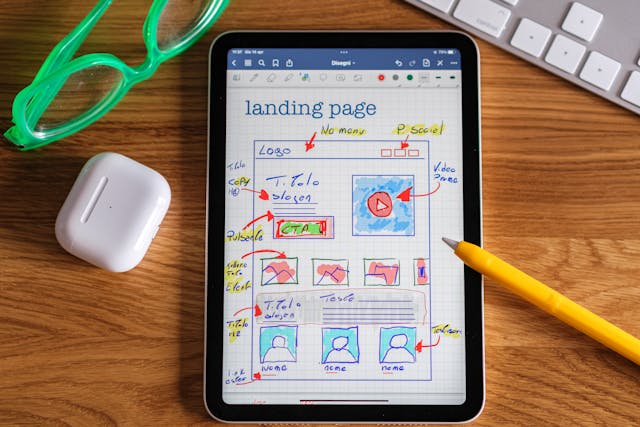
User experience design is fast becoming a sought-after skill in the field of software development. With so many businesses providing the same offering, how can one stand out from the competition?
Offering a good experience from shopping carts to checkout is one way to rise to the top. Easy website or app navigation not only leads to increased sales but also strengthens trust in the brand. Skilled user experience teams are invaluable as they help improve the user’s journey through a digital product, boosting customer satisfaction.
In our article, we take a deep dive into what you should be looking out for when assembling your own team to enhance your designs.
What Is UX Design?
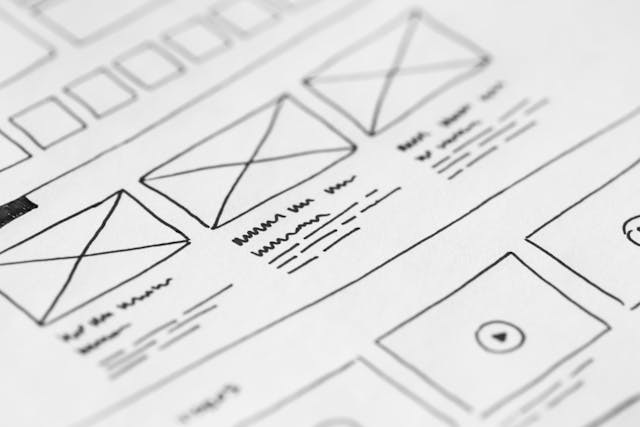
You might be new to the term UX or user experience design. In its simplest form, user experience design relates to shaping the way a user interacts with a digital product. UX design aims to ensure that the user can navigate an app or website with ease.
Why this is important is down to the effect UX design has on sales. For example, a good user experience means that the customer will stay on the site and complete their purchase. Badly implemented UX encourages the user to leave the site and look elsewhere.
You can find UX design in pretty much anything. User experience design is important for your school’s website, your online baking app, and the website from which you buy products. It is all around you all the time.

What Is a User Experience Team?
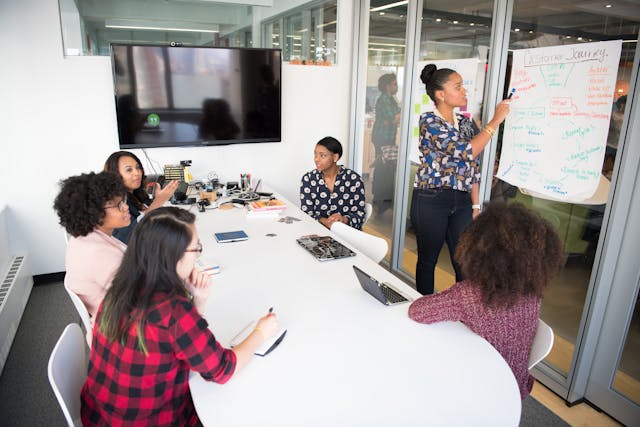
A user experience team is a group of professionals with expertise in the area of UX. These experts work together to ensure the user experience of a digital product is to a high standard. They all have the same goal in mind: to achieve customer satisfaction.
Different specialisms make up a UX team, offering their knowledge in one particular area of UX. Whilst a wide-ranging skillset is important, communication between these roles is an integral part of a successful user experience team.
What Is a User Experience Team Structure?
As with any team, a UX team is structured in line with workloads and business needs. Structuring also allows for efficient use of the team members’ availability. A UX team may be structured around one of three common models.
Centralized UX Team
A centralized team is the most typical structure. With a centralized model, employees who are part of the UX department work under a common manager or team leader. In this model they may be working on multiple UX design projects at a time.
Individuals working as part of a centralized team in one department may share the same space, working together on projects.
Decentralized UX Team
Unlike a centralized team, decentralized teams can be scattered across different departments or organizations. These types of teams rely heavily on keeping in touch through messaging apps, emails, and video conferencing.
This structure allows for greater flexibility, diversity of talent, and access to global resources. However, it also requires strong communication, coordination, and trust to ensure that everyone stays aligned on goals and tasks.
Matrix UX Team
A matrix model UX team structure combines the centralized and decentralized models. As with the centralized structure, team leaders head each group of UX designers. However, there is a UX manager that holds precedence over all teams. As well as allowing for flexibility, this model encourages cross-functional collaboration between teams when needed.

5 Key Skills Needed in a UX Team
Whatever team structure is chosen, a team is only as good as the individuals in it. Good UX design team members should possess the following key skills.
1. Ability to Communicate Clearly
Solid communication skills are a must when working in any team. If the teams follow a decentralized or matrix model, the need for effective communication becomes greater. Relaying information about project progress or challenges keeps everyone in the loop.
2. Understanding Goals
Each member of the team should fully comprehend the goals of the business. Understanding the company’s goals and strategy ensures that the user experience aligns with the outlined objectives. This awareness when approaching UX design is necessary for driving business success.
3. Proficiency in Conducting Effective Research
User research is a major aspect of user experience. Research regarding the target audience helps to inform the user experience design. When hiring UX employees, they should be able to carry out user research and analyze findings.
For insight into working practices, question potential team members about the UX research methods they use. Also, ask how they go about user experience testing.
4. Good Listening Skills
Test the strength of your team’s listening skills by asking “what if” questions. These questions check your UX team’s ability to engage in active listening as well as problem-solve on the spot.
5. Results-Orientated Approach
When interviewing team members, their UX design portfolio can reveal a lot. Did they measure the effectiveness of their past UX projects? What were the outcomes for the business? Also, ask them how they measure success in UX projects to check if they pay attention to results.

Is Testing Part of the UX Team’s Role?
The answer is a simple yes. Once the UX designs have been created, they need to be tested on real users.
Testing is part of the design process as it allows designers to go back and address any issues. A vital part of the evolution of a UX design, testing, and validation is the final stage of the process.

How To Build a Killer User Experience Team
To build a successful team, user experience teams included, you need key personnel. The people included in your team have to be the best at what they do to create a great experience for the user.
When building your team, ensure that all the people in it have the right qualifications for their roles and enough experience to work independently. If they lack experience and need constant guidance, you will lose time and may end up with a product that is below par.
Moreover, make sure they have great communication skills so they can collaborate with others easily.
Who Is in a User Experience Team: Top Professionals To Include
As mentioned above, you need a top team to create the best user experience. Therefore, consider hiring these seven professionals.
UX Lead
Making sure that all UX team members are collaborating effectively is the job of the UX lead. When problems arise or discussions are needed, the UX lead is tasked with managing the situation.
Alongside steering the team in the right direction, meeting deadlines and ensuring quality control is also part of their role.
UX Researcher
User experience researchers are experts at understanding the needs, motivations, and behaviors of the target audience. Using UX research tools UX researchers gather and analyze data to help shape user personas and inform the design process.
UX researchers can empathize with the user and better understand how they engage with the digital product.
UX Designer
Collaborating with the UX researcher and their findings, the UX designers can then start work. UX designers realize the products and services, ensuring they are user-friendly and hit business objectives.
Following the initial design phase, UX designers are also tasked with testing and troubleshooting. Incorporating user research and results during the testing phase, UX designers finesse the UX design of a digital product.
UI Designer
Although the title sounds similar, UI designers deal with the user interface. UI designers are responsible for the visual appeal of a digital product. UI designers work collaboratively with UX designers and software developers.
Information Architect
One aspect of the role of an information architect is to conduct user surveys, user interviews, and usability tests. Possessing strong organizational skills, they also are in charge of grouping and labeling content. This ensures that users can easily access the information they need.
Usability Expert
A usability expert focuses on evaluating and improving the ease of use and efficiency of a digital product. Their primary goal is to ensure that users can interact with the product and achieve their goals.
UX Writer
A UX writer creates the text content encountered by users as they navigate the digital product. This includes everything from button labels and error messages to onboarding instructions and navigation menus.
The goal of a UX writer is to ensure that the language used is clear, concise, and helpful.

The 6 Main Goals of a UX Design Team
The seven UX team members offer a variety of skills to their distinctive roles. However, despite the differences outlined in their job descriptions, they share common goals. The shared goals of a UX team are all geared toward user experience and include the following.
1. User Satisfaction
A primary objective of good UX design is to create a user experience that is simple, intuitive, and enjoyable. Happy users are more likely to return. Those users who encounter difficulties navigating the digital product will go elsewhere in search of a better experience.
2. Clarity
Clear and informative text is an easy way to guide a user around a website or app. Any text included should be instructional, relevant, and accessible to all. Long pieces of text can negatively affect the user experience and lengthen their journey around the product.
Keeping sentences short and text correctly formatted is a great way to capture attention.
3. User Feedback
When users click on interactive elements or input information, they often look for feedback. Has the form been submitted? Has the purchase been completed? Feedback boxes and messages improve the user experience by confirming their actions.
4. Enjoyable Experience
User experience is not just about making the journey as smooth as possible for the user. UX can be fun, too! Eye-catching graphics and interactive elements can make an ordinarily dull sign-up process more memorable.
Clear but friendly-toned text inviting the user to take the next step offers a more personable user experience.
5. Consistency
Whilst elements of fun keep things interesting, if you are adopting this style, ensure consistency. Keeping your UX consistent means that your users will know what to expect, maintaining trust in your brand.
6. User Testing
The UX design process simply must end in testing to ensure that the product is fit for purpose. Testing with real people is the best way to check the quality and effectiveness of a product’s user experience.

FAQs
What is the difference between UX and UI teams?
UX or user experience deals with the user’s or customers’ interaction with the company, its services, or its products.
User Interface or UI concerns the look and feel of a website. The website’s or digital product’s appearance, sounds, style, and responsiveness all fall under the UI umbrella. UI is responsible for elements such as navigational search bars and slide bars, container menus, and input controls like checkboxes.
Can a UX designer work alone?
Although a UX designer can work alone, they may encounter certain challenges. Typical UX design tasks involve collaborating effectively with many different departments to ensure that the product is a success.
Working in a team also provides different perspectives, solutions to problems, and the ability to use various UX design methods after getting ideas from others.
Is A/B testing part of a user experience team?
Yes. Comparing two versions of a webpage or UX feature can help a user experience team gather vital information. It shows how different changes drive user behavior. This leads to more informed decisions and a better user experience.
How can I start a UX team?
Starting a UX team involves several key steps to ensure that the team is well-equipped to deliver exceptional user experiences. To set up a UX team, you will need to:
– Define the specific goals you want the UX team to achieve.
– Outline the team structure and roles.
– Look for the right talent.
– Establish effective work processes.
– Encourage collaboration.
– Measure success.
– Promote the importance of the team.
Enhance Your Designs With a User Experience Team and the Help of Page Flows
A user experience team can help you in a lot of areas regarding your designs. It is coimprised by top professionals that are experts in their fields and can improve both the user experience and your design layouts.
However, if you’d like to first focus on making your designs a bit better before enlisting their help, you can check out Page Flows. We have thousands upon thousands of user flows that will inspire you and help you create top designs for your website or products.
Check out Page Flows today and take your designs to the next level.