Navigating the tech world can be tricky, especially when job titles sound similar. Companies regularly create new job roles and career opportunities in an ever-changing digital landscape.
However, a few tech roles are seemingly here to stay, even with the arrival of AI. You’ve probably heard of web developers, UX designers, and UI designers. But what is a UI developer? If you’re curious about this role, you’re in the right place. This article will explain what a UI developer does, their skills, responsibilities, and career prospects. Keep reading to learn more!

What Is UI Design?
Before we dive into UI development, it’s important to understand what UI design actually is. Firstly, UI stands for user interface. It’s about designing the visual parts of a digital product that users interact with. This can be the buttons, icons, layouts, and animations you see on a website or app.
UI designers focus on making digital products visually appealing and easy to use. Their role is to make an app or a website feel user-friendly. They use design principles like color theory, typography, and spacing to create a pleasant user experience. Their goal is to ensure users can navigate the product effortlessly and, ultimately, keep coming back.
An example of a fantastic UI design would be Apple. They strip back all the unnecessary frills and spills of tech giants to ensure ease of use. Navigating an Apple phone or computer is straightforward and self-explanatory, which is a major factor in why their customer base is so loyal.
What Is a UI Developer: A Closer Look
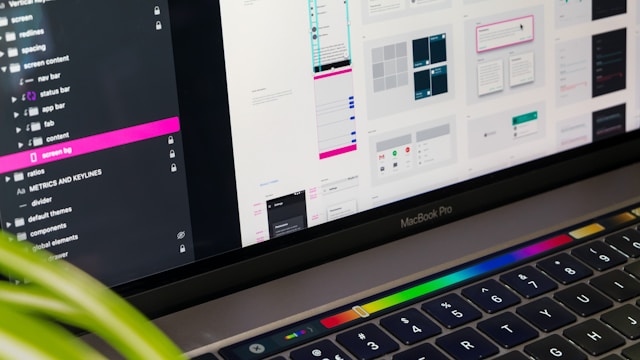
Now, let’s answer the main question: what is a UI developer? A UI developer is a tech professional who combines design and coding skills to create user interfaces. They work on the front end of websites and apps, translating design mockups into functional code. They ensure that the visual elements of a digital product work smoothly and look great.
UI developers need a mix of technical skills and a good eye for design. They collaborate with UI designers, UX designers, and back-end developers to bring a digital product to life. Their role bridges the gap between design processes and development to ensure a seamless user experience.
According to Zippia, there are more than 209,000 UI developers in the US, so this is a popular profession, and there may be some competition when looking for a role in this field.

What Does a UI Developer Do?
UI developers have a wide range of tasks. Here’s a breakdown of some key responsibilities:
- Translating designs: They convert design mockups from UI designers into code. This involves using HTML, CSS, and JavaScript to build the front end of websites and apps.
- Creating interactive elements: They make buttons, forms, and other interactive elements work as intended. This can involve adding animations and transitions for a smooth user experience.
- Testing and debugging: They test the user interface across different devices and browsers to ensure it works perfectly. They also fix any bugs or issues that arise.
- Optimizing performance: They optimize the code to ensure the interface loads quickly and runs smoothly.
- Collaborating with teams: They work closely with designers, back-end developers, and project managers to ensure the project meets its goals and deadlines.
UI Developer Job Requirements and Skills
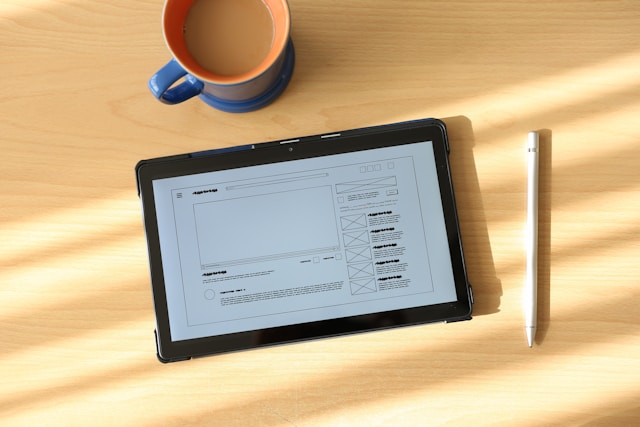
To be successful, UI developers need a combination of technical and soft skills. Here are some essential skills you should consider before jumping into a career in UI development.
Technical Skills
There are a few fundamental technical skills to acquire before you step into the world of UI development. Let’s take a look at a few of the systems and software that you’ll need to understand:
- HTML/CSS: These are the building blocks of web development. HTML structures the content, while CSS styles it.
- JavaScript: This programming language adds interactivity to websites and apps. Knowledge of libraries like React.js is a plus.
- UI design tools: Familiarity with tools like Sketch, Figma, and Adobe XD is important for translating designs into code.
- Responsive design: UI developers use responsive design to ensure that the interface works well on different devices and screen sizes.
- Version control: They use tools like Git to manage and track code changes.
Soft Skills
Aside from the technical skills mentioned above, it’s worth considering sharpening a few soft skills, too, if you want to become a UI developer. Here are a few key soft skills you should pay attention to when beginning your UI development journey:
- Communication: Working with different teams requires clear and effective communication.
- Problem-solving: Being able to identify and fix issues quickly is crucial.
- Attention to detail: Small details can make a big difference in the user experience.
- Teamwork: Collaborating with others to achieve common goals is also essential in this field.
As with most careers in today’s competitive market, you typically need a mix of education and experience. A career as a UI developer is no different. Here are common UI developer job requirements.
Education
Some form of education will be required to learn the fundamental skills and tools needed as a UI developer. However, formal education may not be mandatory.
A degree in computer science, web development, or a related field is often preferred. These programs provide a solid foundation in programming principles, algorithms, and software development.
Many successful UI developers are self-taught or have completed online courses and boot camps. These alternatives can be more flexible and tailored to specific skill sets, offering intensive training in a shorter period.
Experience
As with many industries, hiring companies like to see some level of experience in the field. Consider building a portfolio or an unpaid internship to bolster the experience on your CV.
Include examples of your work with various frameworks, libraries, and tools to demonstrate your versatility and proficiency. You don’t want to box yourself into just one category.

What Is the Difference Between UI and UX Developers?
So, you’ve heard of UI and UX design, and now you’re probably wondering what is the difference between UI and UX developers. Let’s break it down.
- Responsibilities: UI developers translate designs into code and ensure the interface works smoothly. UX developers understand user needs and create user journeys. They also test the product to ensure it meets user expectations.
- Focus: UI developers focus on the visual and interactive elements of a digital product. UX developers, on the other hand, focus on the overall user experience, including usability, accessibility, and user research.
- Skills: UI developers need strong coding skills and an eye for design. UX developers need skills in user research, wireframing, prototyping, and usability testing.

Frequently Asked Questions
What does a UI developer do for a company?
A UI developer is a tech professional who combines design and coding skills to create user interfaces for websites and apps. They ensure that visual elements work smoothly and look great.
What skills are needed to become a UI developer?
Key skills include proficiency in HTML, CSS, and JavaScript, along with familiarity with UI design tools and knowledge of responsive design. Soft skills like communication, problem-solving, and attention to detail are also important.
How is a UI developer different from a UX developer?
UI developers focus on the visual and interactive elements of digital products, while UX developers concentrate on the overall user experience, including usability, accessibility, and user research.
Enhance Your UI Developer Skills With Page Flows
By now, you should have a better understanding of what is a UI developer. Just to recap, UI development is a rewarding career that combines design and coding skills. UI developers play a crucial role in creating user-friendly interfaces for websites and apps.
If you’re looking for a career in UI development, why not learn from proven products and courses? Page Flows is a helpful resource for finding interaction design ideas. So, get started today to access our growing library of user flow recordings and finally stay up-to-date with current design trends.