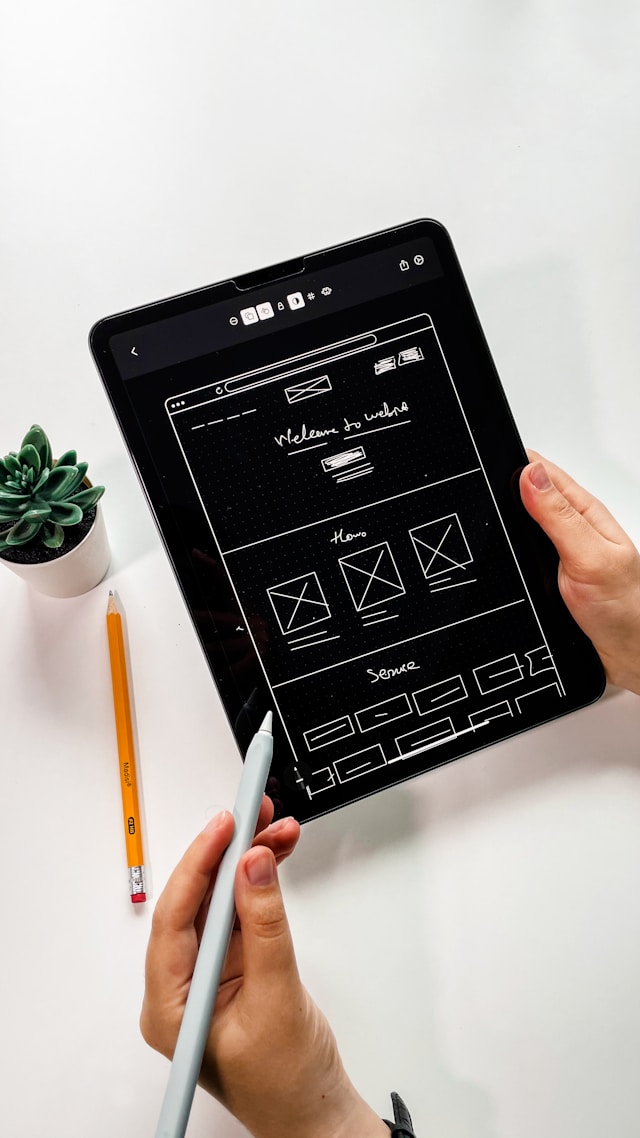
UI design is an incredibly important facet of every digital product we’ve ever interacted with. Without a solid user interface (UI), navigating our favorite websites and apps would be impossible.
With that in mind, it’s then no surprise that designers create more than one type of UI.
In today’s guide, we’ll explore these different types of interfaces to help you create the best UIs for your users.

What Is a User Interface?
UI designers create user interfaces to serve as the point of human-computer interaction. In other words, a UI is the point at which a user interacts with a website or mobile app.
According to Statista, half of the internet traffic comes from mobile device users, so UI design is also very important when considering phones and tablets.
Hence, it’s safe to say that a well-designed user interface must contain user-friendly, compelling visual elements like the following:
- Visual hierarchies
- Clear, accessible layouts
- Colors
- Shapes
- Lines
- Icons
- Typographic elements
- Notifications
- Drop-down menus
- And much more
While UI designers have to contend with a wide range of visual elements, their goals should always be the same. These goals relate to the enhancement of user interaction, regardless of whether they’re designing for experienced users or inexperienced users.
With that in mind, let’s explore the different interface types that designers most commonly use when creating digital products.

The Common Types of Interfaces: A Brief Overview
Now that you know more about UIs, it’s time to discuss common types of interfaces in the digital landscape.
Below, we’ve provided a list of the types of UIs that we’ll explore in more detail shortly.
- Command line interfaces
- Natural language interfaces
- Graphical user interfaces
- Menu-driven user interfaces
- Form-based user interfaces
- Voice user interfaces
The Command Line Interfaces (CLIs)
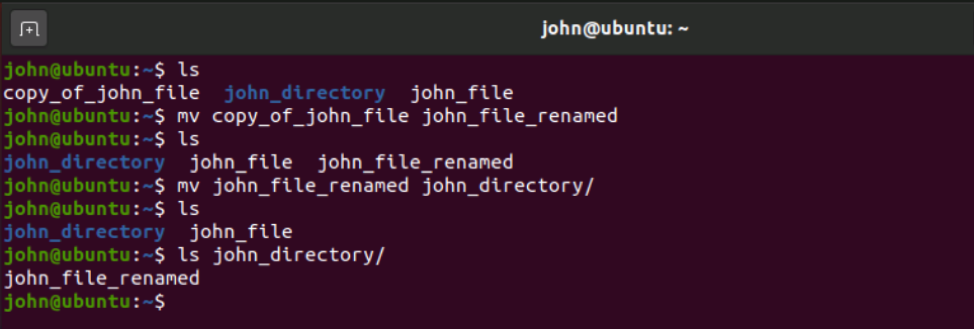
Text-based, a command line interface bridges the gap between user input and a computer’s operating system.
Essentially, with CLIs, a user can input lines of text (command lines) via their keyboard to interact with their computer.
By entering these commands, users can access, configure, and run their computer’s programs.
Operating systems like Windows and Linux work with CLIs to streamline interactions between the system and the user.
The Pros of CLIs
There are many benefits to creating CLIs, including the following advantages:
- Users can execute actions on several computer files in one text command, resulting in streamlined navigation.
- CLIs use fewer network resources to function. This means that users who have hardware with limited capabilities won’t have to suffer a less-than-ideal experience with your product.
- CLIs require less memory than alternative UIs, meaning CLI programs often run much faster.
The Cons of CLIs
That said, there are also downsides to creating a product with a CLI, including the following drawbacks:
- Having to remember an abundance of commands can prove difficult, especially for inexperienced users.
- CLI isn’t the most accessible type of user interface, especially for users with visual impairments.
- A CLI error message doesn’t contain a lot of helpful information and can be difficult to understand initially.

The Natural Language Interfaces (NLIs)
A natural language interface is similar to a CLI, just with an added human touch. In other words, an NLI enables its users to interact with a computer’s operating system using natural everyday language.
With NLIs, users can rely on words and phrases to complete in-computer actions like creating and altering software data.
Text-based or speech-based NLIs are incredibly common in the modern digital landscape. Think chatbots, search engines, Alexa, and Siri.
The Pros of NLIs
As we did with CLIs, we have discussed the user-centric advantages of creating NLIs below.
- NLIs don’t just rely on one type of input device, making them incredibly accessible.
- NLIs speak to user-friendliness as they allow for intuitive, natural human-computer interactions, which, in turn, reduces the learning curve.
- NLIs allow for a more personalized user experience.
The Cons of NLIs
As intuitive as NLIs are, they also have their own disadvantages, like the ones we’ve listed below.
- Variations in a user’s voice (dialect, tone, and accent, for instance) can lead to misinterpretations.
- Users can ask questions and put forth commands that the computer system can’t interpret.
- Speech-based NLIs may take more time and training to understand what the user is saying.

The Graphical User Interfaces (GUIs)
A graphical user interface allows for human-computer interaction via visual components like buttons, scroll bars, menus, and icons.
GUIs are incredibly prevalent in the modern digital landscape and are, in fact, part of many modern portable devices. Gaming consoles, MP3 players, and – of course – smartphones make use of GUIs.
Anytime you open apps like Netflix or Spotify, you’re interacting with a GUI.
The Pros of GUIs
Given how popular GUIs are, you can imagine there are several advantages to implementing them into your products. We’ve revealed some of these advantages below.
- GUIs are often very visually appealing and eye-catching.
- GUIs are very user-friendly and thus don’t have a steep learning curve.
- With GUIs, the user can easily navigate between multiple applications.
The Cons of GUIs
Despite the user-friendliness of a GUI, there are disadvantages to using one. Below, you’ll find the cons of using a graphical user interface.
- GUIs require quite a substantial amount of storage space.
- It’s not uncommon for GUIs to perform slowly.
- GUIs comprise many menus, which can lengthen the user’s progress toward completing a task.
The Menu-Driven User Interfaces
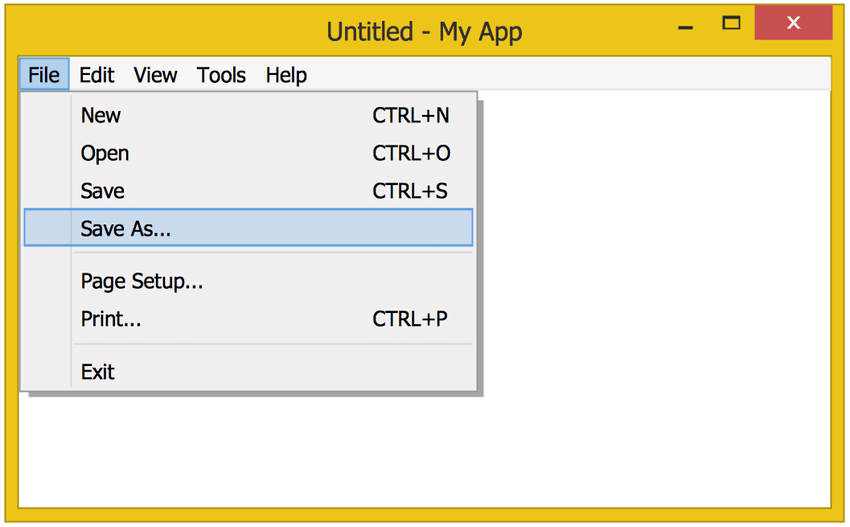
As you might expect, menu-driven user interfaces allow users to interact with a computer program by sifting through several menus.
These menus contain options for the users to choose from. After the user selects their first option, they’ll end up on the next menu screen. This selection process will repeat until the user reaches their desired outcome.
A classic example of a menu-driven user interface is an iPod or even the Settings menu on your phone. In both cases, all the user can do is scroll through and tap on the menu.
That said, it’s worth noting that users can also interact with a menu-driven user interface using pointers and keyboards.
The Pros of Menu-Driven User Interfaces
Now, let’s discuss the advantages of using a menu-driven user interface.
- Menus are great for categorizing functions effectively, leading to better, more seamless user navigation.
- Limited options and virtually no user input means that menu-driven user interfaces have a low user error rate.
- Users don’t have to remember commands or rely on one input device for their interactions. This makes menu-driven user interfaces a testament to accessibility.
The Cons of Menu-Driven User Interfaces
Equally, it’s worth shedding light on some of the drawbacks of using a menu-driven user interface.
- The menus may occupy a large chunk of the screen’s real estate.
- Having a series of menus in place for the user to interact with can elongate simple tasks unnecessarily.
- Menu-driven user interfaces are less flexible in the sense that users can only execute listed actions.
The Form-Based Interfaces
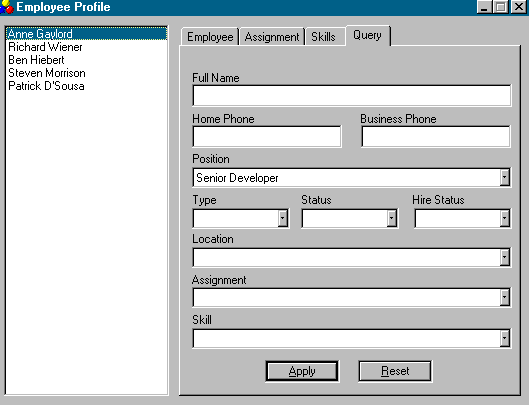
Aptly, form-based interfaces in UI design have a form-like structure, enabling users to input data into their computer systems. More often than not, form-based interfaces also only provide users with a limited selection of options via drop-down menus.
You can expect to find other familiar UI elements, like checkboxes, text boxes, and radio buttons, within a form-based interface.
It’s also worth noting that form-based interfaces are great for collecting and processing large amounts of data.
A classic example of a form-based interface would be a registration form or a job application.
The Pros of Form-Based Interfaces
Here are the reasons why you should utilize a form-based user interface:
- They are simple to use and require very little to no training.
- The user doesn’t need more processing power or computer memory to run a form-based user interface smoothly.
- Data entries are much faster and simpler to process with a form-based interface.
The Cons of Form-Based Interfaces
On the other hand, there are reasons you should think twice before implementing a form-based interface, including the following:
- The user may encounter frustrating limitations when selecting their options.
- Form-based user interfaces and complex applications don’t mix well.
- Form-based interfaces take up a large amount of screen space.

The Voice User Interfaces (VUIs)
A voice user interface revolves around the notion of spoken human-computer interaction. In essence, with VUIs, users can use voice commands to interact with their electronic devices.
Popular examples of voice user interfaces are Google Assistant and Cortana.
The Pros of VUIs
Let’s take a look at some of the benefits of creating a voice user interface, such as:
- VUIs don’t require the user to use their hands or eyes, which makes tasks like driving and cooking safer. This is also what makes VUIs accessible.
- VUIs streamline human-computer interactions because they remove the need for users to type out lengthy commands.
- VUIs reduce cognitive overload for users as they can store a lot of information and provide helpful reminders.
The Cons of VUIs
Now, let’s explore the disadvantages that users may encounter when interacting with a VUI.
- Users must voice their commands in a way that the VUI will understand. Often, this can mean the user has to speak slower, heavily enunciate their words, or even alter their accent.
- Users can only perform a limited number of commands with VUIs.
- VUIs pose serious privacy concerns, especially since voice user interfaces are always listening to the user’s conversations.
FAQs
What are two types of computer user interfaces?
There are two main types of computer user interfaces: graphical user interfaces (GUIs) and command line interfaces (CLIs).
Graphical user interfaces are popular interfaces that enable users to interact with a digital product through graphical elements. Think buttons, menus, and cursors. Command line interfaces, on the other hand, allow for human-computer interaction through the user’s input of text or commands.
What makes a good user interface?
Regardless of industry, every good user interface shares a common trait – a solid understanding of UI design principles. In other words, a good user interface will always exhibit the following qualities:
Consistency
Clarity
Familiarity
Intuitiveness
Accessibility
Responsiveness
Visual appeal
User empathy
Simplicity
What is the main goal of a user interface?
While many UIs have different purposes and design teams behind them, the role of a user interface remains largely unchanged.
That role is always to enhance the user’s experience through seamless and intuitive navigation. Supported by user research, UI design aims to unify functionality and aesthetic value to create superior products for target users.
The Different Types of Interfaces: Final Thoughts
Regardless of the user interface you use, you must always prioritize the user’s experience when you create digital products.
Efficiency and clarity are important features of a UI, but if it isn’t user-centric, your users will likely become frustrated.
So, how do you ensure your user interfaces reflect your dedication to your users? The best way to adopt user-centricity into your design principles is to learn from successful products. This is where Page Flows enters the picture.
Page Flows hosts over 6,900 user flow recordings and over 108,000 screenshots, all from successful brands like Amazon.
We document crucial flows, from onboarding to ordering and everything in between, regardless of industry or brand.
Our mission is simple – to help designers learn what frictionless user navigation and compelling user experiences look like.
With our endless amount of resources, you’ll master the art of user flows in no time. Like learning the different types of interfaces, leveraging Page Flows’s resources is simple, straightforward, and essential to your future success.
Get started today to learn how to master enjoyable, accessible user navigation!