If you want to enhance your user experience design skills, you need to follow the best design practices and tips.
In today’s guide, we’ll discuss these valuable UX design tips in great detail so you can create superior designs. We’ll cover everything from optimizing your product’s usability to improving its visual appeal!

Tips for UX Design: Starting With the User’s Experience
It’s only fitting that we start with the best practices and top tips that relate to UX design itself.
1. Embracing Personalization
Nowadays, users want a more personalized experience when they interact with a digital product. As UX designers, it’s your job to accommodate these desires.
The best way to do that is to segment your user base and create user personas to contextualize each segment. From there, you can determine your segments’ preferences and design accordingly.
When we say “design accordingly,” we mean implementing things like the following:
- Personalized content recommendations based on user data
- Customizable interfaces
- Tailored onboarding experiences that reflect a specific user’s goals
- Human-like, conversational AI
- Milestone celebration
Ultimately, personalization is all about giving the users what they want without them needing to request it. This is how you truly create a user-centric digital product.
2. Optimizing Your Product’s Performance
Users who have to wait through slow loading times tend not to have the best experiences. Luckily, there are things you can do to ensure your product always has fast loading speeds.
Compress your images’ file sizes, minify your code, use browser caching, and remove render-blocking JavaScript.
Responsive design is another essential component of your product’s optimized performance. Your designs must effectively translate across a variety of devices and screen estates.
3. Utilizing Progressive Disclosure
If you want to avoid overwhelming your users with too much information, you need to utilize progress disclosure.
Progressive disclosure involves gradually revealing complex in-product features and information to reduce your users’ cognitive loads. By incrementally introducing content, you’ll also be able to alleviate your product’s learning curve.
For instance, introduce your users to your product’s basic functionalities first. When they are more comfortable with your product, you can then introduce them to advanced features. Doing this means reducing opportunities for user error and abandonment rates.

UI/UX Design Tips: Improving Your User Interfaces
Your product’s UI design is integral to the quality of the user’s overall experience. For that reason, you must also adhere to the best user interface design practices, like the ones below.
1. Leveraging Negative Space
Negative space, or white space, refers to the empty space between and around design elements. UI designers often fall into the trap of thinking visual flourishes are the only things that command users’ attention.
This isn’t the case; negative space can help improve your product’s navigation by emphasizing other design elements. It’s for that reason that you can’t have a strong visual hierarchy and, thus, intuitive navigation without negative space.
We especially recommend using negative space around your CTAs to make them stand out even more. After all, you can’t increase your conversion rates without designing an easily spottable CTA button/link.
2. Focussing on Familiar Navigation
Modern design trends are embracing a more experimental, creative approach to website and mobile app design. As tempting as it is to strive to reinvent UI design conventions, we advise making familiar navigation your top priority.
Utilize user research methods like surveys, interviews, and card-sorting sessions to determine your users’ expectations. Your research findings will reveal what layouts and navigational aids your users are familiar and comfortable with.
For instance, your users will likely expect your navigation bar to be at the top of your product’s homepage. Align your designs with these expectations, and you’ll make your users’ experience much smoother.
3. Prioritizing Emotional Experiences
Your product’s visuals can significantly influence your users’ emotional states. Therefore, you should design every visual element with how you want your users to feel in mind.
Research color psychology before making your color palettes. Consider the effects of serif fonts vs sans-serif fonts. Look into ways you can enhance your microinteractions with fun animations. You could even incorporate brand-reflective, subtle sound effects for key interactions.
The more meaning your users can derive from your product, the more likely they will be to return to it.

Usability Tips: Enhancing User Engagement
In order for your users to enjoy your product’s visuals, your product needs to be usable first. Here’s how you can improve its usability.
1. Designing for Accessibility
Usability isn’t just about creating usable products for one type of user segment. It’s about making products that all users can enjoy, regardless of their cognitive and physical abilities.
We recommend making it so that your products can support a range of assistive technologies like screen magnification software. Above all, we strongly advise you to consult the Web Content Accessibility Guidelines (WCAG) 2.2.
2. Creating Accurate Tap Targets
Tap targets are containers that surround pressable design elements like buttons and links on a phone screen. If your tap targets are too small or large, they’ll cause moments of friction that will frustrate your mobile users.
To avoid this, we suggest making your tap targets 48x48dp and no less than 8dp apart.
3. Conducting a Mix of Usability Testing Methods
Usability testing methods allow you to evaluate how easy your product is to use. There are many different ways to conduct these tests, and we don’t recommend only choosing one.
Specifically, we recommend running both quantitative and qualitative usability tests.
Quantitative tests will produce numerical or statistical data that tell you what’s happening during your tests. Qualitative tests will reveal the “whys” and “hows” behind your participant’s behaviors and actions.
UX Design Portfolio Tips: Attracting New Clients
Everything you know will contribute to your professional portfolio. But that doesn’t mean that there aren’t still things you can do to improve said portfolio.
1. Selecting Various Projects
Don’t just put your most aesthetic final outcomes or projects into your portfolio. Make your selections with variety in mind, as this will showcase a wider range of your competencies and skills.
2. Incorporating Brand-Specific Elements
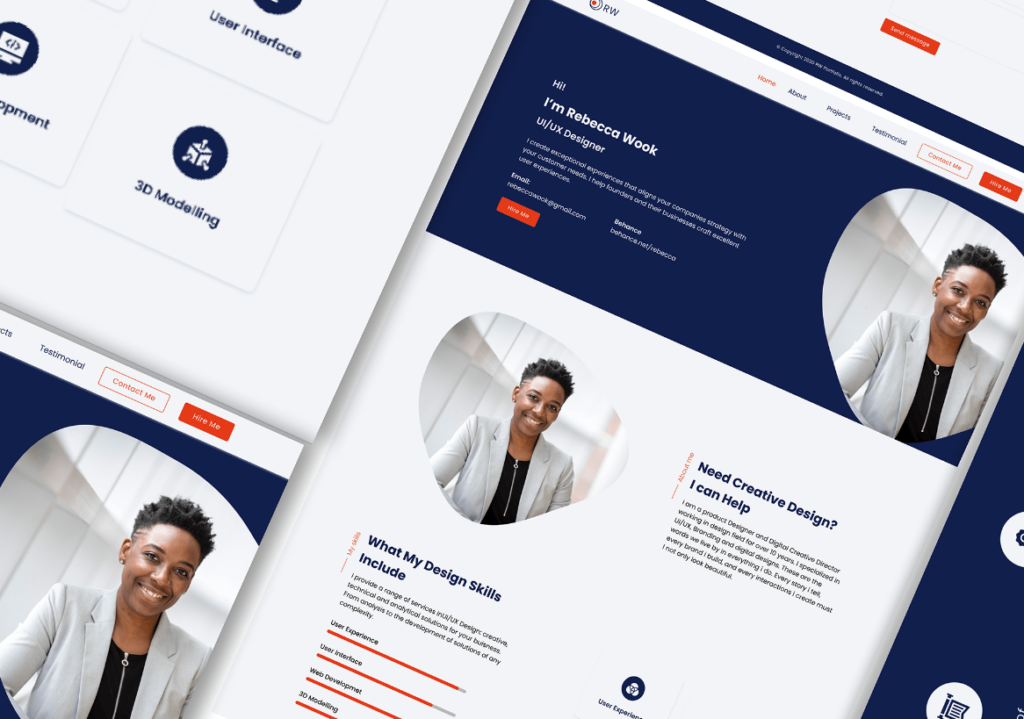
Your portfolio is another example of your designs, and you should treat it that way. Use your knowledge of UI design principles to organize your portfolio’s content and add elements specific to your brand. This is how you’ll emphasize your professionalism to potential clients.
3. Using Templates
Using a template is a great way to ensure that you haven’t missed any crucial details within your portfolio. Consider browsing platforms that offer templates like UXfolio, Canva, and Figma.

UX Design Interview Tips: Impressing Your Hiring Managers
After heeding our advice, you’ll undoubtedly catch the attention of a hiring manager. To ensure you’re a memorable candidate, follow our advice once more.
1. Researching the Company
Look into your prospective new company’s mission, values, target users, and approach to design. With this knowledge, you can tailor your responses to your company’s goals, making yourself a more noticeable candidate.
2. Explaining Your Design Decisions
You should aim to become comfortable explaining the rationale behind your design decisions. This means diving deep into the research, business goals, and principles that led you to make certain choices.
You should also discuss any obstacles or failures that you had to overcome and how you did so. By doing this, you’ll highlight your problem-solving skills, which your hiring manager will definitely value.
3. Preparing for UX Whiteboard Challenges
During your interview, you may have to demonstrate your skills during a UX whiteboard challenge. This challenge is a way of observing your design thinking abilities when they’re up against a spontaneous, data-driven problem.
We recommend taking a few minutes to define the challenge and organize your initial ideas. As you outline your design process, remember to focus on the users’ needs and the fictitious business’s goals.
Include your methodologies, reasonings, means of recruiting participants, and wireframes. This is how you’ll impress your hiring managers.
Must-Have UX Design Tips: Access Top Resources on Page Flows
Learning about the best design practices and tips is a great way to improve your designs for users. Another way to enhance your users’ experience with your products is to learn from Page Flows.
With Page Flows, you have access to thousands of annotated user flow screenshots and recordings from big-name brands and industries. With the user flows we collect, you’ll learn what a diverse range of top-of-the-line user journeys look like.
From onboarding flows for social networking products to general browsing for sportswear products, we cover every flow you could need. Like UX design tips, our resources are invaluable to aspiring and experienced designers alike.
Try out Page Flows today to learn what user-centric desktop and mobile products look like!
FAQs
How can I be good at UX design?
There are many things you can do to become good at UX design. These things include studying every UX design principle, practicing with modern design tools, and seeking guidance within UX design communities.
What are the six concepts that every UX designer should know?
Every UX designer should be proficient in wireframing, interaction design, visual design, usability, information architecture, and cross-platform functionality.
How do I grow my UX career?
Start by familiarizing yourself with the foundations and crucial aspects of UX design. Then, gain practical experience by participating in design projects or working on your own. After that, you can continuously build on your portfolio and network with fellow designers and mentors.