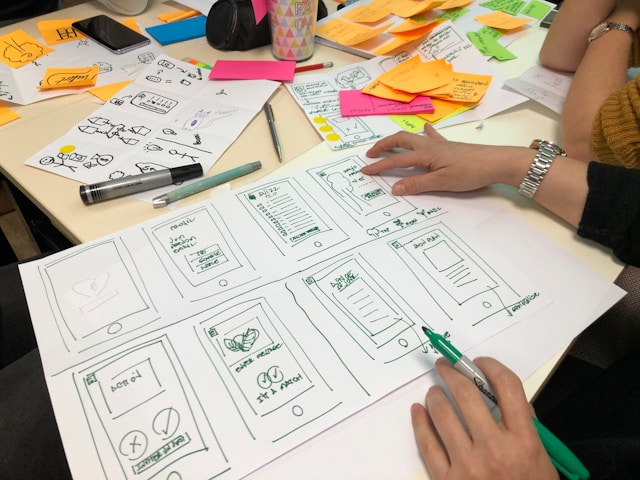
In 2024, there is a wide range of wireframe tools you can choose from. Now, UX designers can find innovative solutions, free and paid, to improve the efficiency of their projects. In this roundup, we’re going over the best wireframe tools that can streamline your design process. With these choices, you can enhance your creativity and collaborate more easily with your team.
Let’s dive in!
What Is a Wireframe?
Think of a wireframe as a basic visual guide for your designs. It represents the skeletal framework of a digital interface, outlining its structure and layout. Wireframes are usually helpful on web pages or mobile apps.
They focus on the placement of all key elements and interaction spots. They help designers and stakeholders visualize the overall functionality of a project without getting bogged down with small design details.

What Are Wireframe Tools?
A wireframe app or tool is a software application that helps designers create their wireframes quickly and more efficiently. You’ll typically find features like drag-and-drop interfaces, pre-designed UI components, and interactive prototypes built into the software.
These tools work by simplifying the entire wireframing process, making it easier to iterate and collaborate with your team members. Some notable software names include Figma, Moqups, Sketch, and UXPin.
When Do You Use Wireframes in the Design Process?
UX designers typically use wireframes in the very early stages of the design process. Think of it like a blueprint for your future project. It allows you to choose the layout and think about the user interfaces and flow. All this happens before you dive into more detailed design work.
Wireframes work by helping you to identify potential issues early on and gather necessary feedback from stakeholders. All of this ensures the design aligns with the project goals. This prevents you from putting in long hours of work only to have to reverse what you did later.
Do You Need to Use a Tool When Making a Wireframe?
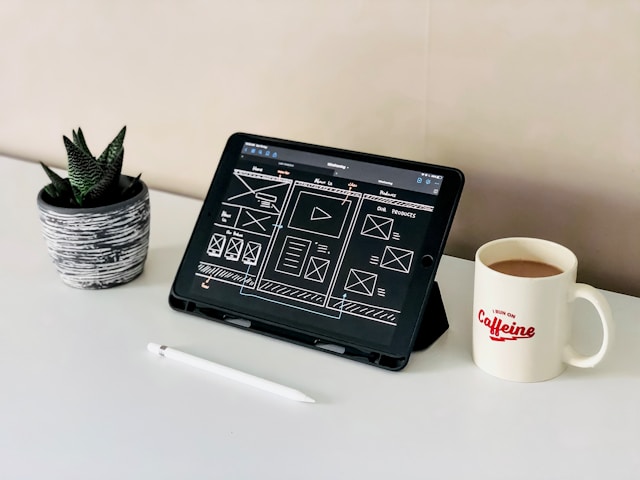
While traditional methods like pen and paper work for some, wireframe software offers plenty of advantages. It speeds up the design process by helping you collaborate in real time. Some tools also provide access to pre-designed UI components.
So, in conclusion, using a wireframe tool improves productivity and ensures consistency across all your designs. Later, we’re covering the best wireframing tools of 2024, so don’t go anywhere!
What Elements Make Up the Best Wireframe Tools?
The best wireframe tools all possess the same qualities. These are:
- An intuitive interface
- Drag-and-drop functionality
- Interactive and clickable prototypes
- Real-time collaboration
- Responsive design capabilities
- Comprehensive UI component libraries.
All of these features work together to enhance the wireframing process, making it more efficient and improving your user experience.

What Are the Best Wireframe Tools: Our 14 Top Picks
If you are asking yourself the question, “What are the best wireframe tools right now?” then look no further. Here are the top tools you should use for your next UX project.
1. Figma: Best Free Website Wireframe Tool
Figma stands out as the best free website wireframe tool, as it is suitable for both beginners and professionals. It offers a cloud-based platform for seamless collaboration, enabling multiple team members to work on the same project simultaneously.
Figma’s intuitive interface, vector networks, and responsive design features make it a top choice for website wireframing.
- Key features: Cloud-based collaboration, vector networks, responsive design, extensive plugin ecosystem
- Pricing: Free for individual use, with paid plans starting at $14 per editor/month for teams
2. Moqups: Best Free Wireframe Tool for Apps
Moqups is the best free wireframe tool for mobile apps, particularly for beginners. It offers an easy-to-use drag-and-drop interface, making it simple to create wireframes, mockups, and prototypes. This is a fantastic choice if you’re designing for mobile devices.
Moqups supports real-time collaboration, allowing team members to provide feedback and make adjustments instantly, speeding up the project process.
- Key features: Drag-and-drop interface, real-time collaboration, built-in templates and components
- Pricing: A free plan is available, with paid plans starting at $15/month for team projects
3. Sketch: Best Wireframe Tool for Detailed, Vector-Based Designs
Sketch, exclusive to macOS, has detailed, vector-based design capabilities. It provides a pixel-perfect canvas and an extensive range of UX design tools, making it ideal for creating high-fidelity wireframes. Sketch also has a revision history feature, allowing you to rectify mistakes.
- Key features: Vector-based design, pixel-perfect canvas, real-time collaboration, plugin support
Pricing: $10 for a standard subscription or $120 for a license per MacBook

4. UXPin: Best Wireframe Tool for Handing Off Design Documentation to Developers
UXPin excels in facilitating the handoff of design documentation to developers. It offers advanced interaction components, allowing designers to create realistic, interactive wireframes. UXPin’s robust live presentation and documentation features streamline the design process, ensuring a smooth transition from wireframe to final product.
- Key features: Interactive components, live presentations, developer handoff, documentation tools
Pricing: 30-day free trial available, with paid plans starting at $6 per editor/month

5. MockFlow: Best Wireframe Tool for Project Organization
MockFlow is a versatile wireframe tool that helps with project organization. It features an intuitive interface and comprehensive UI component library, making it easy to manage multiple projects simultaneously. MockFlow supports real-time collaboration and offers different export options, improving team communication and project management.
- Key features: Project organization, UI component library, real-time collaboration, export options
- Pricing: Free plan available, with paid plans starting at $14 per editor/month
6. Uizard: Best Wireframe Tool for AI-Assisted Wireframing
Uizard leverages AI to streamline the wireframing process. It can generate UI designs from text prompts and convert hand-drawn sketches into digital wireframes. Uizard’s AI features, intuitive interface, and real-time collaboration options make it a valuable tool for modern UX designers.
- Key features: AI-generated designs, conversion of hand-drawn sketches, real-time collaboration
Pricing: Free plan available, with paid plans starting at $12 per editor/month

7. Justinmind: Best Wireframe Tool for Interactive Wireframes
Justinmind specializes in creating interactive wireframes that closely mimic the final product. It offers a range of interactive components and animations, allowing designers to build realistic prototypes. Justinmind supports real-time collaboration and version control, making it easy to iterate and refine designs based on feedback.
- Key features: Interactive wireframes, animations, version control, real-time collaboration
- Pricing: Free plan available, with paid plans starting at $9 per user/month
8. Mockplus: Best Wireframe Tool for End-to-End Project Management
Mockplus offers a comprehensive suite of tools for end-to-end project management. It features an intuitive drag-and-drop interface, real-time collaboration, and extensive component libraries. Mockplus also provides advanced prototyping capabilities, enabling designers to create high-fidelity wireframes and interactive prototypes.
- Key features: Drag-and-drop interface, real-time collaboration, advanced prototyping
Pricing: Free plan available, with paid plans starting at $14.95 for unlimited use

9. Adobe XD: Best Wireframe Tool for Cross-Platform Design
Adobe XD is a powerful tool for wireframing and prototyping that supports both macOS and Windows. It offers a great set of design tools and integrates seamlessly with other Adobe Creative Cloud applications. This makes it ideal for designers working on cross-platform projects.
- Key features: Cross-platform support, seamless integration with Adobe Creative Cloud, advanced prototyping
- Pricing: Free starter plan available, with paid plans starting at $19.97 per user/month
10. Balsamiq: Best Wireframe Tool for Rapid Prototyping
Balsamiq is speedy and simple to use, making it a great tool for rapid prototyping. Its low-fidelity wireframes focus on structure and content without getting bogged down by design elements, allowing designers to test ideas.
- Key features: Rapid prototyping, low-fidelity wireframes, simple drag-and-drop interface
- Pricing: Free trial available, with paid plans starting at $9 per user/month
11. Axure RP: Best Wireframe Tool for Extensive Component Libraries
Axure RP is a robust wireframing tool that offers extensive component libraries and advanced prototyping features. It is ideal for complex projects that require detailed wireframes and high-fidelity prototypes.
- Key features: Extensive component libraries, advanced prototyping, conditional logic, dynamic content
- Pricing: Free trial available, with paid plans starting at $25 per user/month
12. Framer: Best Wireframe Tool for Comprehensive Prototyping
Framer is an excellent tool for designers who need both wireframing and comprehensive prototyping capabilities. It offers a user-friendly interface and powerful features for creating interactive, high-fidelity prototypes.
- Key features: Interactive prototyping, code-based design capabilities, real-time collaboration, component libraries
Pricing: Free plan available, with paid plans starting at $4 per month for personal use

13. InVision: Best Wireframe Tool for Collaboration and Feedback
InVision is a top choice for teams that prioritize collaboration and feedback. It allows designers to create interactive wireframes and prototypes while facilitating feedback through comments and collaborative features.
- Key features: Interactive prototypes, collaboration and feedback tools, integration with other design tools, version control
- Pricing: Free plan available, with paid plans starting at $15 per user/month
14. Wireframe.cc: Best Wireframe Tool for Customizable Templates
Wireframe cc offers a minimalist and focused wireframing experience. It’s ideal for designers looking for a tool that provides customizable templates. It offers simplicity without the clutter of more complex design tools.
- Key features: Minimalist interface, customizable templates, annotation tools, responsive wireframes
- Pricing: Free plan available, with paid plans starting at $9 per freelance user/month.
The Evolution of Wireframe Tools: Trends to Watch in 2024
As we move into 2024, several trends are shaping the development and use of wireframe tools. Here are some key trends to watch out for.
New AI Integrations
AI is a major part of 2024 wireframe tools. This tech helps designers:
- Automate repetitive tasks
- Generate design suggestions
- Create wireframes from text descriptions or hand-drawn sketches.
Tools like Uizard are at the forefront of this trend, leveraging AI to streamline the design process.
Improved Collaboration Features
With remote work now normal, wireframe tools are focusing on improving how teams collaborate remotely.
Real-time collaboration, version control, and seamless integration with project management tools are becoming standard features in many wireframe services. Figma and Sketch are examples of tools that could help your team communicate better remotely.
Responsive Design Tools
As devices and screen sizes continue to change and grow, responsive design tools are now essential in wireframes. Tools like Figma and UXPin offer features that help designers create responsive wireframes.
Design Systems Integration
As a UX professional, you know that design systems help maintain consistency across large projects and teams.
Wireframe tools are now, more often than not, integrating with design systems. This can help you reuse your components and adhere to the brand guidelines. Sketch and UXPin are great examples of tools that support design system integration.
More Accessible Features
Accessibility is now a crucial consideration in UX design. Many 2024 wireframe tools are incorporating features that create more accessible designs.
They typically use contrast checking, screen reader previews, and keyboard navigation simulations. All this ensures that wireframes meet accessibility standards.
FAQs
What are some of the most popular wireframe tools?
Some of the most popular wireframe tools include Figma, Sketch, UXPin, Moqups, Justinmind, and MockFlow. These tools have robust features, intuitive interfaces, and real-time collaboration capabilities. Each tool offers unique advantages, catering to different design needs and preferences.
How do I choose the best wireframe tool for my needs?
Choosing the best wireframe tool depends on what you need as a UX designer. Consider factors like your design experience, project requirements, and budget.
Look for tools that offer an intuitive interface and collaboration features. You may also want to look for comprehensive UI component libraries. Try out different tools to find the one that best suits your workflow and the needs of the team.
What can a wireframe tool do?
A wireframe tool is a software application that helps designers create wireframes quickly. These tools provide features like drag-and-drop interfaces, pre-designed UI components, interactive prototypes, and real-time collaboration.
Wireframe tools streamline the design process, making it easier to visualize and work with others on design concepts.
Get Help With the Best Wireframe Tools and Your UX Designs Using Page Flows
In 2024, UX designers have access to some of the best wireframe tools. Whether you’re a beginner or a seasoned professional, these tools offer features that streamline the design process at every stage.
Explore all the options we listed above and find the best wireframe design tool for your needs. This will help you elevate all your future design projects.
Page Flows offers a wealth of resources to help you enhance your UX design process. From detailed case studies to interactive examples, Page Flows provides valuable insights and inspiration.
Sign up today to access a comprehensive library of design flows and take your wireframing skills to the next level!