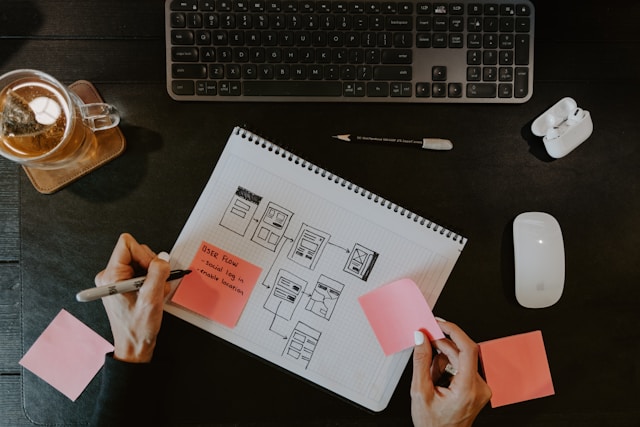
Of all the user flows a designer creates, the onboarding flow is perhaps the most crucial. Your onboarding flow can either turn first-time visitors into loyal customers or frustrated users.
So, it’s safe to say mastering the UI design of your onboarding screens is essential, especially for your conversion rates.
That’s why, in today’s guide, we’ll reveal the best tips and tricks you can use to optimize your onboarding UI.

What Is Onboarding UI?
User onboarding is the process of introducing new users to your digital product and its features, functions, and value propositions.
By the end of a good onboarding flow, your users should know how to use your product. They should also clearly be able to recognize how it will help them achieve their goals.
A user interface (UI) is the point at which users interact with and control a website or mobile application. UI designers will design these interfaces, utilizing elements like color, buttons, typography, and icons to streamline user navigation.
So, an onboarding user interface combines these visual elements to introduce users to a product effectively.
Here are some of the elements a UI designer might create when working on onboarding screens:
- Typographic elements that clearly convey a brand’s personality and identity during the welcome screen.
- High-quality photography that relates to the product’s value proposition.
- Progress bars that clarify how the user is progressing through the onboarding process.
- Buttons that allow users to move on to the next screen or tooltip.
- Pointer arrows to direct the users to a specific UI element that they need to know about.
- Interactive/video product tours to demonstrate a product’s usefulness in action.
- Input fields for users to create profiles with their personal details.
- Toggles/checkboxes for the users to customize their preferences.
- CTA buttons that inspire the user to take key actions like making purchases.
- Checklists that give users in-product tasks that help them familiarize themselves with the product.
Web vs App Onboarding UI: Why They Should Be Different
You know about the onboarding elements that UI designers create and optimize. But before we reveal the best design tips, you need to know about one other thing: app onboarding UI design.
It’s no secret that responsive design is important to the design process, which means it’s also important to user onboarding. Put differently, deciding not to tweak your onboarding flow for mobile users is a mistake.
Here are the few key areas of your onboarding screen’s UI designs that you’ll need to adapt.
The Layout
As you can imagine, working with a smaller screen requires you to change your screen’s layout. There is a benefit to this limitation, however, and that is that you can only really use essential elements. You may find it easier to create concise flows this way.
But when it comes to mobile layouts, you don’t just have to prioritize the UI elements you use. You also have to consider how the user’s scrolling, tapping, and pinching will affect how the user navigates the layout.
For instance, while multiple dropdown menus and large sidebars work for websites, they don’t translate well on phones. There’s nothing more frustrating than accidentally tapping on the wrong element because it was too close to another one.
Allocate space for larger touch targets and simpler layouts with fewer flourishes and UI elements.

The Navigation
When people navigate websites, they’ll likely use their mouses and keyboards. This often gives designers more creative freedom to build larger, bolder navigational aids and buttons. And more of them, too.
Many mobile users hold their phones in one hand, meaning that they only use their thumb to navigate apps. To accommodate this, you should place your navigation menus and bars on the lower half of the phone’s screen.
Another thing you should consider is using horizontal scrolling. With horizontal scrolling, the user can still hold their phone in a way that’s comfortable for them. It also allows you to break up your onboarding flow into incremental steps that the user has to swipe through.
The incremental approach to onboarding ensures that you don’t overwhelm your users with too much information or too many visuals.
The Visuals
Speaking of visuals, you may have to adjust some of your laptop-optimized visual elements for mobile users.
We’re primarily referring to your font designs. A phone’s small screen can impact your copy’s readability alone, so avoid small typography where possible. Instead, opt for larger iterations of your font.
You could also potentially consider sans-serif fonts for enhanced readability, especially for crucial content like tooltips.
Color is another element you’ll have to keep an eye on when designing mobile onboarding flows. Think of the generous space a laptop’s screen allows for. You can use complex color schemes, and chances are you still have enough white space to draw the users’ focus.
So, for mobiles without such generous screen spaces, we recommend using simpler color schemes, such as complementary or monochromatic schemes.
Using simpler versions of your brand’s colors will still convey your brand’s identity without the risk of overwhelming mobile users.
The 7 Best Onboarding UI Design Tips and Tricks
Let’s get down to business. You need the best onboarding UI design tips to drive user engagement. Below, you’ll find what you’re looking for.

1. Consider the Users’ Needs
Taking into account the users may seem like a fairly obvious tip. After all, what users need is to learn how to use your product. In actuality, we’re referring to other needs that the users have – the ones that require user research.
By conducting user research, you can find out more about the users’ interests and preferences.
You can then use your research data to incorporate common interests and preferences into your onboarding flows. This is a great way to personalize your onboarding flow and increase user engagement.
2. Emphasize Your Product’s Value Proposition
You know that your onboarding flow is your chance to show off what your product can do. Your visual elements can help you emphasize this, increasing the likelihood that your new users will convert.
Carefully arrange your visual hierarchy to draw users to your product’s most compelling features first. If you’re creating interactive/video walkthroughs, place these features at the start of the tour.
You can also strategically use photography, high-contrasting colors, and white space to guide the users’ attention. By doing this, you can create a subtle way of emphasizing your product’s unique features without obstructing the flow.

3. Use Brand-Specific Elements Consistently
Since users form their first impressions of your brand during the onboarding process, you must prioritize visual consistency.
By using your brand’s colors, fonts, and overall style in your onboarding screens, you’ll encourage brand recognition and, thus, loyalty. In turn, this will make users feel more comfortable using your product in the future.
After all, visual consistency contributes to a brand’s credibility and trustworthiness.
Tip: Create and refer back to a brand style guide for your onboarding flows.
4. Prioritize Accessibility
Accessibility is a must-have quality that goes beyond just your onboarding flows.
You must ensure that your visual design doesn’t detriment the user experience for users with cognitive and physical impairments. There are ways you can make your designs more accessible, including supporting assistive technologies like screen readers.
You should also implement high-contrast colors, subtitles for product tours, and customizable layout settings into your onboarding flows.
Tip: Read the Web Content Accessibility Guidelines (WCAG) 2.2.

5. Emulate Video Game Elements
The great thing about games is that they have to strike a perfect balance between challenges and rewards. For gamers, this balance makes a video game much more engaging, and you can emulate this in your flow.
Create icons that resemble “points,” quest symbols, and trophies to incentivize your users to see the onboarding process through. This is also a great way to engage users as they complete in-product tasks and checklists.
6. Aim for Immersive Onboarding
If your onboarding flows don’t engage your users, they are likely to focus on the surrounding distractions. If that happens, your users won’t know how to use your products or why they should use them at all.
To combat this problem, you should add immersive UI elements where appropriate. For example, you could add subtle, pleasant-sound audio cues when tooltips appear or when users complete an in-product task.
You could even experiment with overlays if your onboarding interfaces contain a lot of information to help the user focus.
Above all, we recommend that you give your users a chance to experiment with your product in risk-free circumstances. This is where your interactive tours/tutorials and personalized UI elements enter the fray.
If you address users directly with personalized content, they will find it easier to immerse themselves in your onboarding flows.

7. Test, Test, and Test Again
Implementing our tips into your designs is one thing, but users resonating with them is another thing entirely.
For that reason, it’s essential that you conduct A/B tests on multiple different visual aspects of your onboarding flow. You can test different iterations of any of your UI elements, including fonts, layouts, icons, and animations.
By testing these elements on real users, you can identify areas of friction within your onboarding screens. You can then refine and iterate these areas until you have a seamless, compelling onboarding flow!
FAQs
Why is the onboarding experience important in UI design?
In UI design, the onboarding experience is critical because it’s the first time users interact with your product’s user interface.
It’s the first opportunity for UI designers to demonstrate their product’s engaging visuals, intuitive structure, and helpful navigational aids.
What is an onboarding screen?
An onboarding screen is the first screen the user interacts with when they use websites/apps for the first time. For that reason, you’ll often find onboarding elements like interactive product tours and tooltips on an onboarding screen.
What are the four golden rules of UI design?
The four main factors you need to consider regarding UI design are:
– Give users control over the user interface.
– Make interactions between the user and the interface intuitive, enjoyable, and familiar.
– Make every effort to reduce the users’ cognitive load.
– Design with consistency and clarity in mind.
Onboarding UI: Create the Best Onboarding Screens With the Help of Page Flows
We hope that, with the information in this guide, you feel more confident creating exceptional onboarding screens.
The thing is, although onboarding flows are critical, you’ll need to master more flows to create truly user-centric products. To do this successfully, you’ll need Page Flows in your corner.
With Page Flows, you can peruse thousands upon thousands of screenshots and recordings from thriving industries like sports and shopping.
By looking through our recordings and screenshots, you’ll find how successful products tackle all kinds of user flows. From onboarding to getting support and everything in between, we document flows that nearly every product could leverage.
Best of all, we don’t just focus on flows for the bigger screens; we also collect flows for mobile applications. In other words, regardless of your product’s platform or industry, we’re here to help with an abundance of helpful inspiration.
Don’t guess when it comes to onboarding UI designs; learn from the best with Page Flows.
Access Page Flows now to learn what user flows that engage target demographics look like!