Your user flow(s) play a large part in helping your users complete their goals efficiently and seamlessly. They are integral to user-centric navigation.
What’s more, the UX design process wouldn’t be anywhere near as effective without user flows. That’s why every UX designer should know about and make use of a user flow template.
In today’s guide, we’ll address the ins and outs of user flows. We’ll also explore the best user flow templates and why they are so important in the realm of UX design.
What Is a User Flow?
Before we discuss user flow templates in more depth, we need to address the basics. And what better place to start than by asking the question, “What is a user flow?”
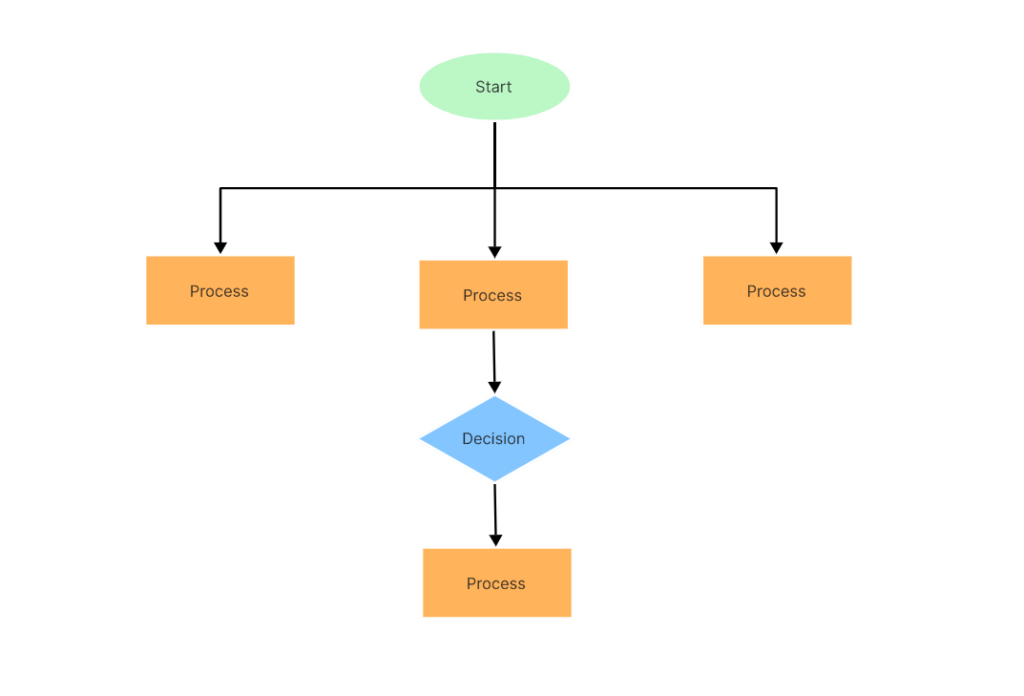
A user flow is a visual tool that a UX design team uses to help them create intuitive user interfaces.
But how does a user flow help UX designers achieve this goal? Well, user flows visualize the most logical path a user will take to complete tasks while interacting with a product.
Because of this, user flows help designers and product teams create frictionless, streamlined, and more enjoyable user experiences.
The 3 Types of User Flow Charts That You Need To Know
Let’s break down user flows even further.
There are three types of user flows that designers commonly use to chart their users’ potential actions. So, to help you determine which user flow chart best suits your needs, we’ve explored them below.
- Task flow diagrams: Needless to say, unlike user flows, task flows focus more on the task than the users’ perspectives. They are minimalistic and linear, conveying a singular user path with no branches or decision points. For that reason, it’s best to use task flow diagrams when your users complete tasks in similar ways.
- Wire flows: Simply put, wire flows combine user flows with wireframes. While user flows are valuable, they can lack context. Wire flows resolve this issue by adding wireframes of UI screens to your typical user flow.
- User flows: As its name suggests, user flows focus more on a specific user than a particular task. That’s why user flows contain multiple branches and potential actions that the user can take when completing a task. User flows and user personas go hand-in-hand since user flows have to consider that different users may take different paths.
User Flows & User Journeys: Is There a Difference?
Simply put, yes, there is a difference between user flows and user journeys.
We could talk about these differences all day, but here’s what you need to know.
User journeys consider the entirety of the user’s experience, from their initial contact with your product to their conversion.
User flows, on the other hand, focus on the interactions that users have while completing in-product tasks. This means that user flows also focus more on a product’s functionality and usability.
Meanwhile, user journeys tend to concentrate more on the emotional states of a product’s target users.
A User Flow Example: What To Look For
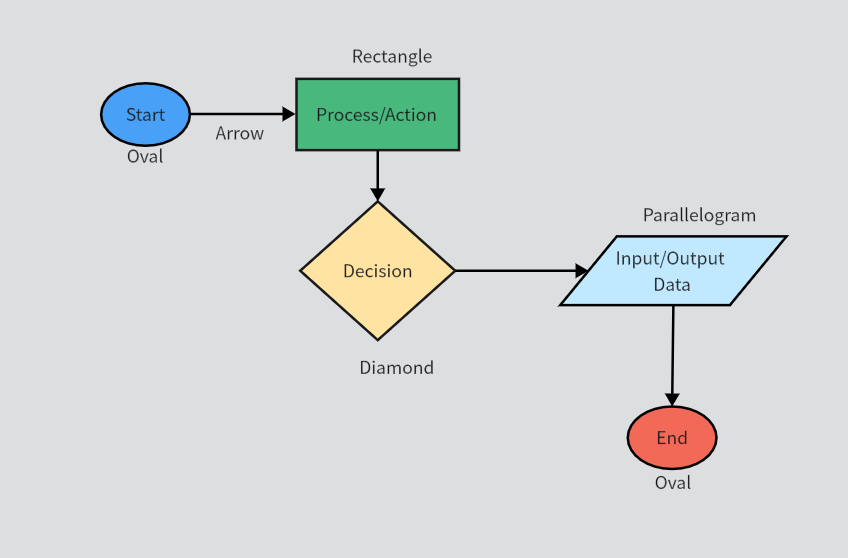
We’ve provided a simple, basic user flow example above to give you a better idea of how user flows work.
Let’s start by explaining the symbols you see in this user flow.
- Ovals: Indicating the start and end of the user flow.
- Rectangles: Representing the steps within the process that the user must complete to progress
- Diamonds: Symbolizing a point in the user flow where a user must make a decision.
- Parallelograms: Depicting a step in the user flow where users must input something like an email address
- Arrows: Indicating the directional flow of the user’s path
But it’s not just the use of symbols that makes this example great to learn from. You should also take note of the different colors you see in this user flow.
By using different colors, you can make it easier to differentiate the symbols in your flows. This, in turn, makes your user flows easier to read. Distinct colors also allow you to emphasize critical user actions.
Another thing to take into account is that this example doesn’t jam-pack its user flow with unnecessary information. The labels are clear and concise, which is another key element that contributes to the flow’s readability.
How To Create a User Flow
Now that we’ve covered the basics, it’s time for you to learn how to create a user flow.

1. Research Your Users
Nearly every aspect of the design process starts with user research, and user flow creation is definitely one of them.
Choose the best UX research methods to gain valuable insights about your users’ behaviors. You need to find out your users’ needs, wants, motivations, beliefs, and pain points.
From here, you answer vital questions like:
- What is it about similar products that are frustrating my target users?
- Which product features do my target users value the most?
- Are there any initial questions that I’ll need to answer before the user can proceed with the flow?
- What are my users’ expectations, and how can I meet them with my user flows?
- What do my users need and want from my product?
Ultimately, UX research will help you determine what you need to do to persuade users to proceed with the flow.
You’ll also get a better idea of the different pathways that your users could potentially take during the user flow.
2. Align Your Users’ Goals With Your Business’s Goals
It may seem a little strange to start with the users’ goals rather than your business’s objectives. Trust us, it’s worth it.
Why? Because your business’s goals are conversions, which often happen when users make purchases or sign up for something.
But more often than not, these goals don’t mirror your users’ goals. By focusing on your users’ goals first, you can design your user flows around them.
So, your flows will not only resolve the users’ pain points but also inspire them to take the final action they desire. After all, you can’t meet your business’s goals if you don’t first accommodate your users’ goals.

3. Determine Your Users’ Initial Contact Points
Now that you have aligned your users’ and business’s goals, you’re almost ready to outline your user flows. But as you know, user flows entertain the many different paths your users can follow to reach the final action.
First, you need to identify the initial contact points, which will be the entry points of your flow. Common entry points include organic traffic, social media posts, and paid advertising campaigns.
Your flow’s entry points will reveal what information you need to provide your users with to guide their navigation. From here, you can give that information, helping your users achieve their goals (and yours).
4. Outline Your User Flow
Now, you can start outlining your user flow.
You need to add your entry point, steps to completion, decision points (if necessary), and the final action. Remember to keep it simple, focused, and – most importantly – readable.
In the previous step, we mentioned that there will likely be multiple entry points. Based on these various entry points, it would be wise to create multiple user flows.
5. Create Your User Flow
After outlining your user flow, you can bring it to life with symbols, labels, and colors. But remember to maintain visual consistency – by doing so, you’ll find it easier to present your user flows.
As a result, your fellow designers and stakeholders can give more constructive feedback. And once you get this feedback, you can make any necessary improvements.
The Importance of Using Templates for User Flow Design
Whether your specialty is UX design, UI design, product design, or graphic design, templates can make crucial processes much simpler.
Templates for user flow design are no exception.
Finding the right user flow template has its perks, and we’ve listed a few of them below.
- The best user flow templates have extensive shape libraries, streamlining your user flow creation process.
- User flow templates often provide features that make collaboration much simpler.
- Flow templates help you identify areas of friction, enabling you to iterate your flows quickly.
- User flows make it easier to empathize with and visualize the product experience from the users’ perspectives.
- For web design and mobile app design, flow templates make it easier to determine how users engage with your content.
- Because flow templates make visualizing user flows simple, they will help you make your product more enjoyable, too.
Figma User Flow Template: An Overview
To point you in the right direction, we’ve looked at some of the best user flow templates out there.
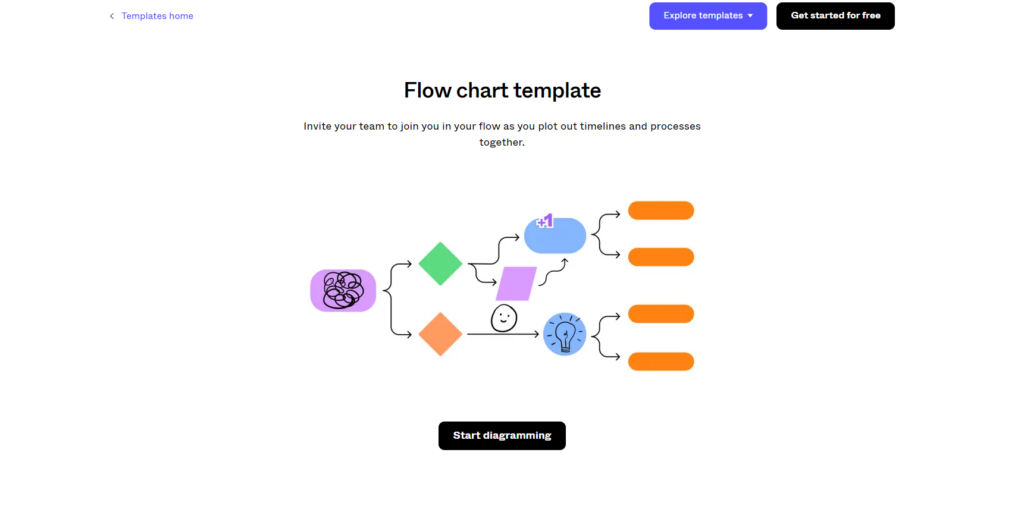
We’ll start with the Figma user flow template.
Figma is an immensely popular design tool that will help you create engaging user flows time after time. Here’s how:
- Figma allows you to add default shapes to your user flows from their shape library seamlessly.
- If you prefer to draw your own symbols, Figma also has the tools to accommodate your needs.
- Figma celebrates collaborative design processes. This means that you can host helpful brainstorming sessions prior to editing your user flow templates.
- You have hundreds of customizable cards, editable elements, and scalable shapes at your disposal with Figma’s templates.
- Figma is free to use and perfect for designers who don’t have programming skills.
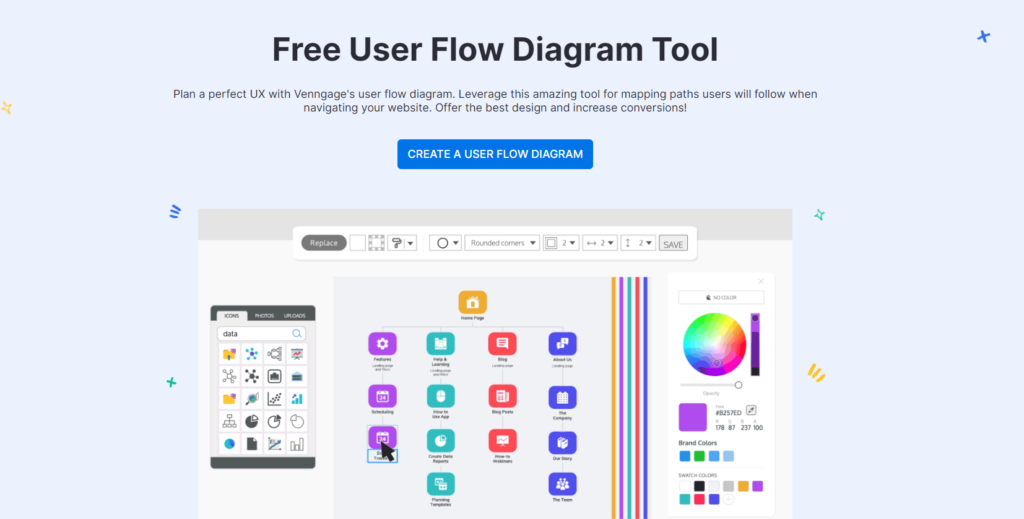
Venngage User Flow Template: An Overview
Venngage is another great provider of valuable user flow templates.
As we did with Figma, here are the most compelling features of Venngage’s user flow templates:
- Venngage has several professionally designed, easy-to-edit user flow templates to choose from.
- Venngage makes it simple to connect user flows from your product’s different UI screens.
- You have access to extensive icon, shape, and image libraries, all of which you can customize.
- You can also create brand-specific color palettes in Venngage, which you can use for the elements of your user flows.
- Big-name brands like Google and The New York Times use Venngage to create successful user flow diagrams.
Additional User Flow Tools You Should Consider Using
Before you finish reading this guide, we’d like to point out a few of our honorable mentions.
Below, we’ve listed some other valuable user flow tools that you should also experiment with.
User Flow Template: Concluding Thoughts
Creating your first user flow can be daunting, but we hope you feel more confident after reading this guide. The most important thing is that you prioritize two things – readability and user-centricity.
But user-centricity in itself can prove difficult to achieve…or at least it was before Page Flows.
Page Flows is a valuable tool that every designer needs, especially when inspiration is running low. We collect thousands of user flow recordings, screenshots, and emails from proven products and immeasurably successful brands.
Working alongside over 1,000 happy customers, we document common but important user flows. From onboarding to making purchases, you’ll learn how to create user flows from the biggest names in your industry.
Combining Page Flows with your chosen user flow template means that you can’t go wrong when creating effective user flows. So, get started today to learn what it takes to create the new must-have digital products.